How to create product images for Google Shopping watches? A guide to checking the proportions of the watch face, strap, and overall wear.
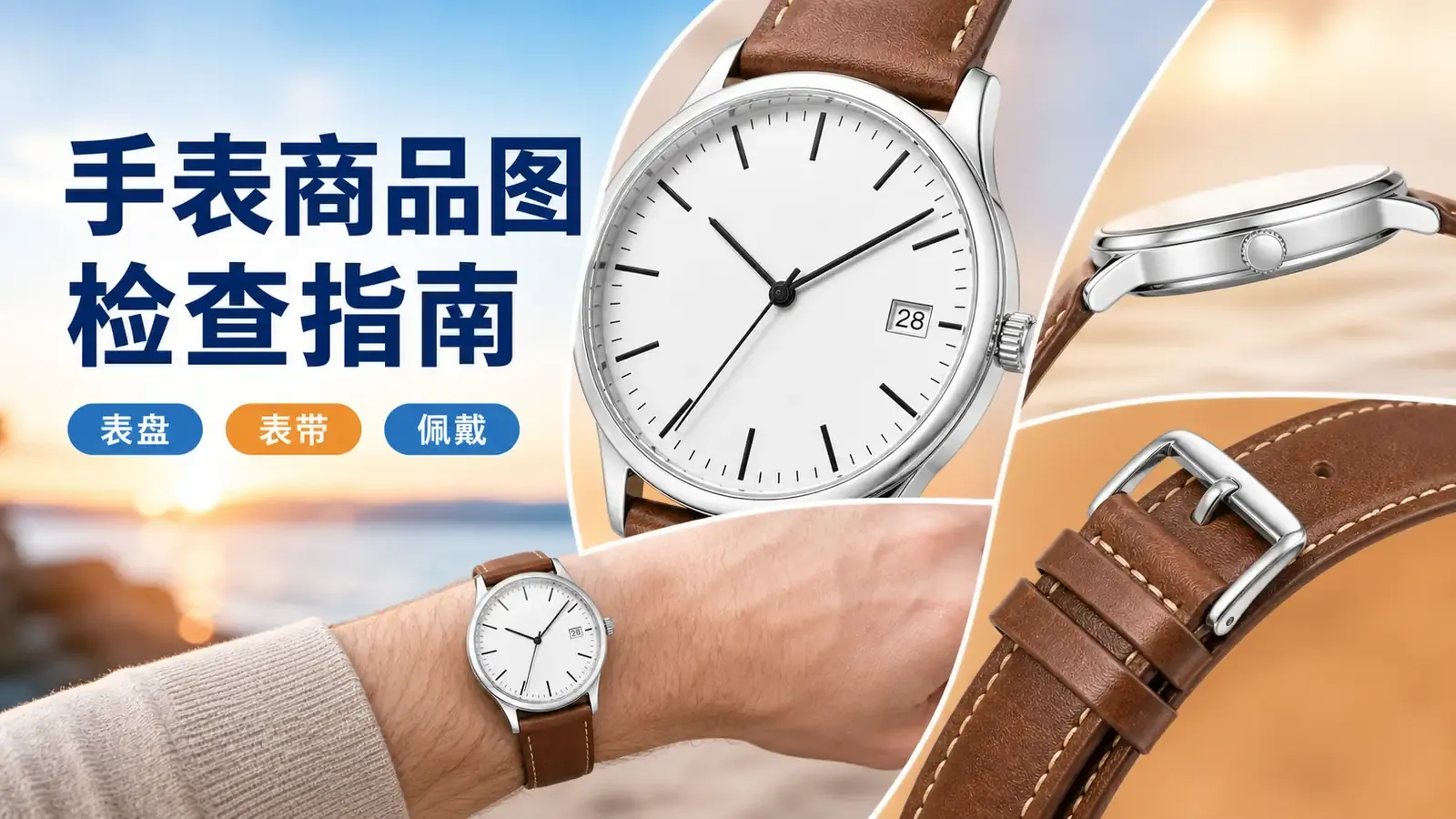
When running Google Shopping ads for watches, many listing issues aren’t due to image quality at all, but rather to inconsistencies in details that don’t match the model’s specifications.
Many visually appealing main images and wear‑on shots reveal flaws upon closer inspection: extra markings, misaligned date windows, unnecessary sub‑dials, or misplaced crowns. While a single image may look fine on its own, when you compare the entire gallery, it becomes clear they’re not even of the same watch.
Watches are highly detailed standardized products, so both buyers and automated systems evaluate them by scrutinizing minute details to identify the model. Whether it’s dial markings, case construction, crown and pushers, or strap‑link closures—any discrepancy with the SKU can lead to mismatched product images, unstable traffic, or even rejection.
In this guide, I’ve compiled a practical set of acceptance criteria for Google Shopping watch images: from dial identity, case side profiles, and strap construction, to wearing proportions and layout of key elements—step by step, we’ll help you weed out invalid or incorrect images, ensuring your entire gallery is clean, compliant, and easy to cross‑check.
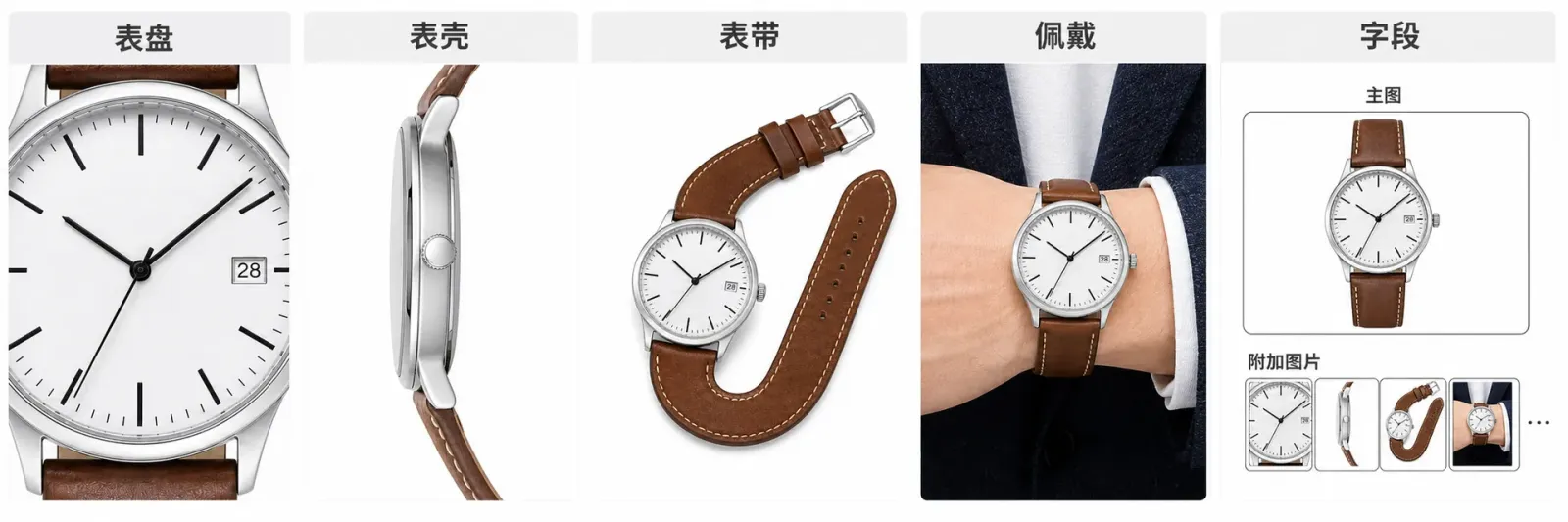
Start with a close‑up of the dial to confirm the product’s identity, then extend that same identity to the case structure, how the watch looks on the wrist, and relevant data fields.
1. If, upon examining the dial, you spot extra markers, an incorrectly positioned date window, or additional sub‑dials, reject the image outright.
The front reference image must precisely match the current model across every detail: marking style, number of hands, date window placement, number of sub‑dials, and brand‑approved text. AI‑generated images often distort repeated markings or add features just to make the scene more elaborate. Decorative markings without real‑world basis should also be removed.
While the time displayed by the hands may vary, the axis, number of hands, and purpose of sub‑dials must remain consistent. During inspection, read clockwise from the 12 o’clock position, then check the central axis and date window—this approach makes it easier to detect errors than relying solely on an overall impression.
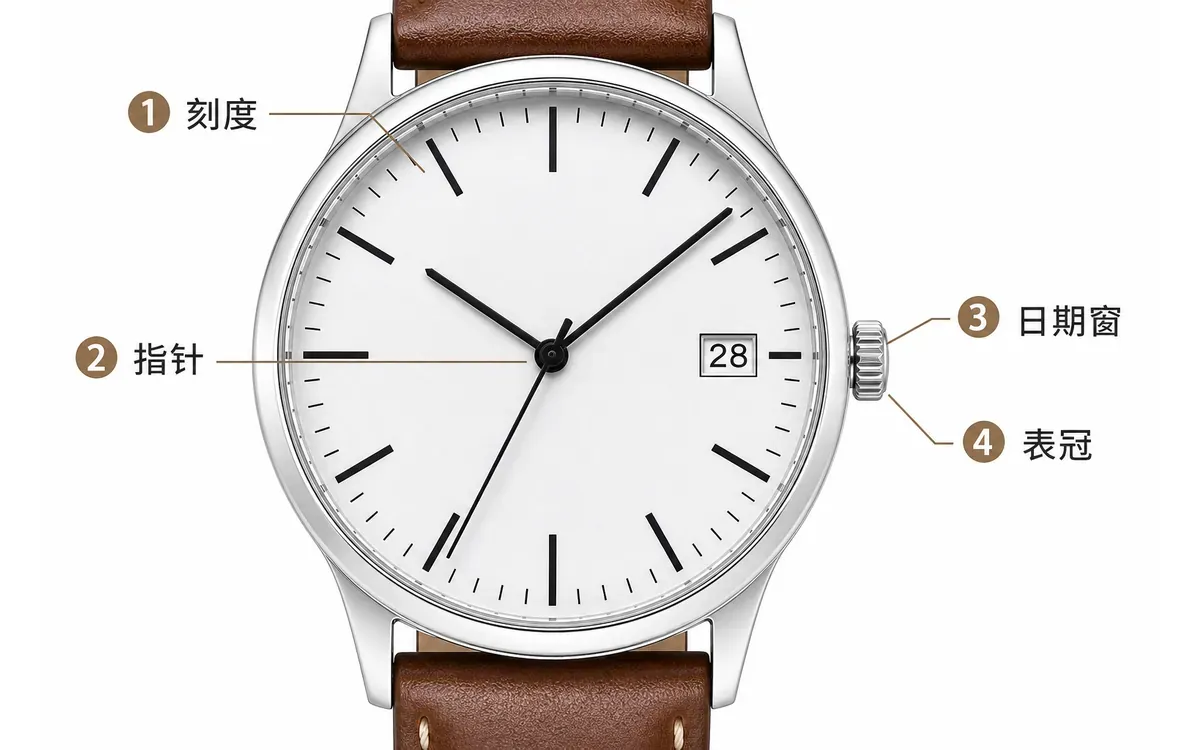
First, trace around the dial, then verify the central axis, hands, and date window.
2. When assessing the case and crown, focus on whether they belong to the same model—not on how well the reflections look.
After switching from the front view to the side profile, ensure the crown orientation, number of pushers, lug openings, and case thickness all corroborate one another. If the current model lacks chronograph buttons, do not borrow more complex side details from similar models; likewise, any change in lug curvature will distort subsequent strap connections.
Only minor blemishes like dust, fingerprints, or stray highlights warrant selectively retouching the case’s reflections and crown edges. If the crown, pushers, or lug structure has changed, stop localized edits and return to the current model for a fresh rework.
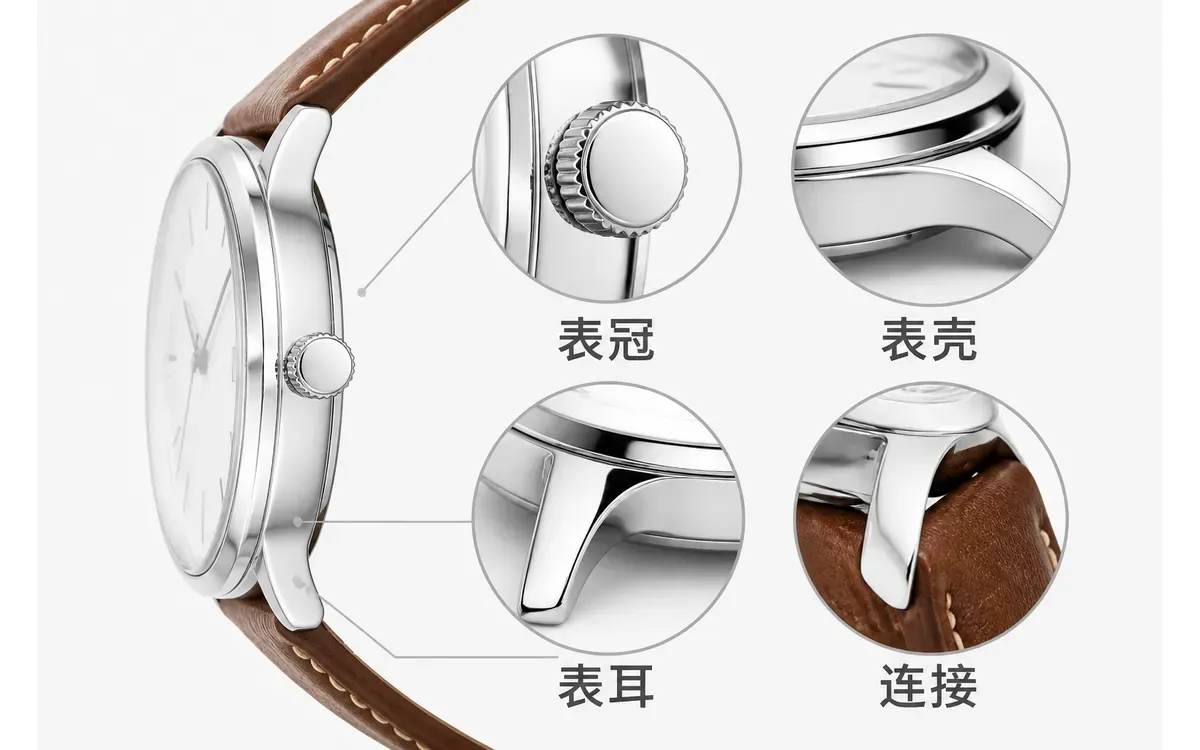
Highlights can be cleaned up, but the case’s silhouette and the number of control components must remain unchanged.
3. From the lugs to the buckle, follow the complete closure chain—only then can you avoid overlooking strap errors.
Treat the strap as a continuous pathway: verify lug connections, strap texture, stitching, hole positions, movable links, buckle, and end piece in sequence. Any sudden color change, missing holes, or altered closing direction will render the wear‑on image invalid.
For multi‑color variants of the same model, do not simply swap out the strap’s color blocks. The buckle color, stitching, and inner‑side coordination with the case must align with the current variant. Images can showcase texture and closure methods, but leather grade, sweat resistance, or hypoallergenic properties still require official documentation.
If only a front‑view image is available, you can supplement it with side views of the case, the strap’s closure chain, and a full wear‑on shot, input reference data for the crown side, lug connections, and buckle, then proceed with segment‑by‑segment verification.
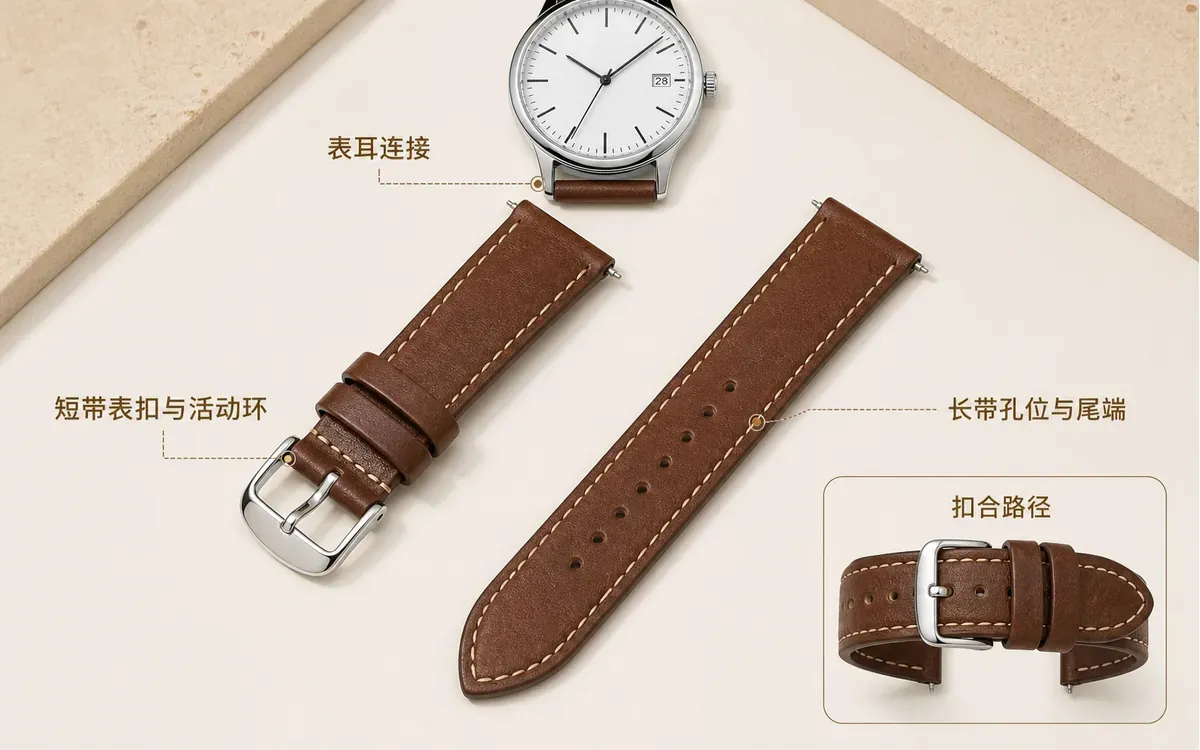
Don’t rely solely on a close‑up of one material—make sure the entire strap can truly close properly.
4. Wear‑on images should only address wrist proportions and contact relationships.
Use approved data for dial diameter, case thickness, and compatible wrist sizes. Wear‑on images provide visual proportions: how much of the wrist is covered by the dial, which side the crown sits on, and where the strap ends. They cannot prove comfort, water resistance, or suitability for all wrist sizes.
When adding human‑model images, you can use accessory‑based try‑on shots to generate front, side‑wrist, and raised‑wrist views of the same watch. Key points during verification include crown orientation, hole alignment, shadow patterns at the wrist, and dial size—ensuring the strap doesn’t dig into the skin.
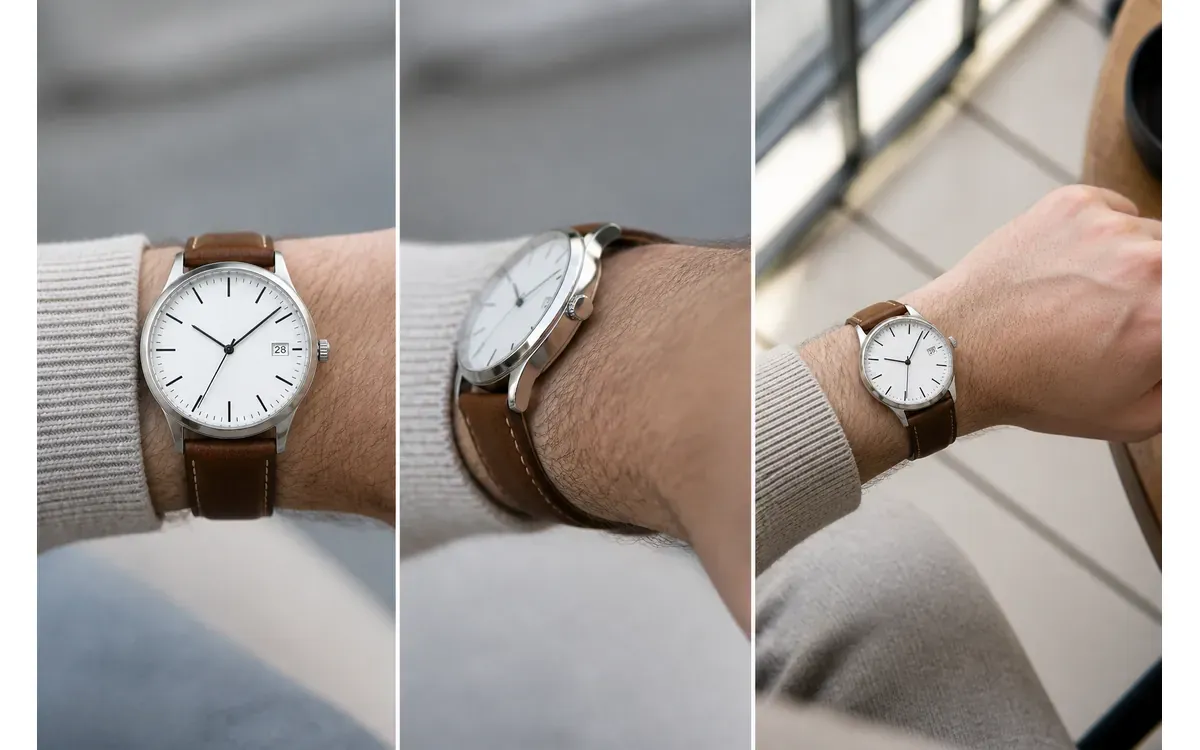
Wear‑on images explain proportions and contact locations, while dimensional measurements still come from the specification sheet.
5. When verifying Merchant Center image fields, first distinguish between main images and supplementary ones.
Google Merchant Center uses image_link (the main image field) to receive the primary image, while other angles go into additional_image_link (supplementary image fields). The main image should accurately depict the current color variant, without adding promotional text, watermarks, or elements obscuring the product; lifestyle scenes, packaging, and details belong in the supplementary images.
When submitting, verify that the image URLs are crawlable, that the file formats and extensions match, and that the landing page colors are consistent. Update the URL only when replacing actual product images; avoid having the same URL frequently return different content. The recommended order for supplementary images in this article is: case side view, strap closure, wearing proportions, packaging contents, and real-life usage scenarios.
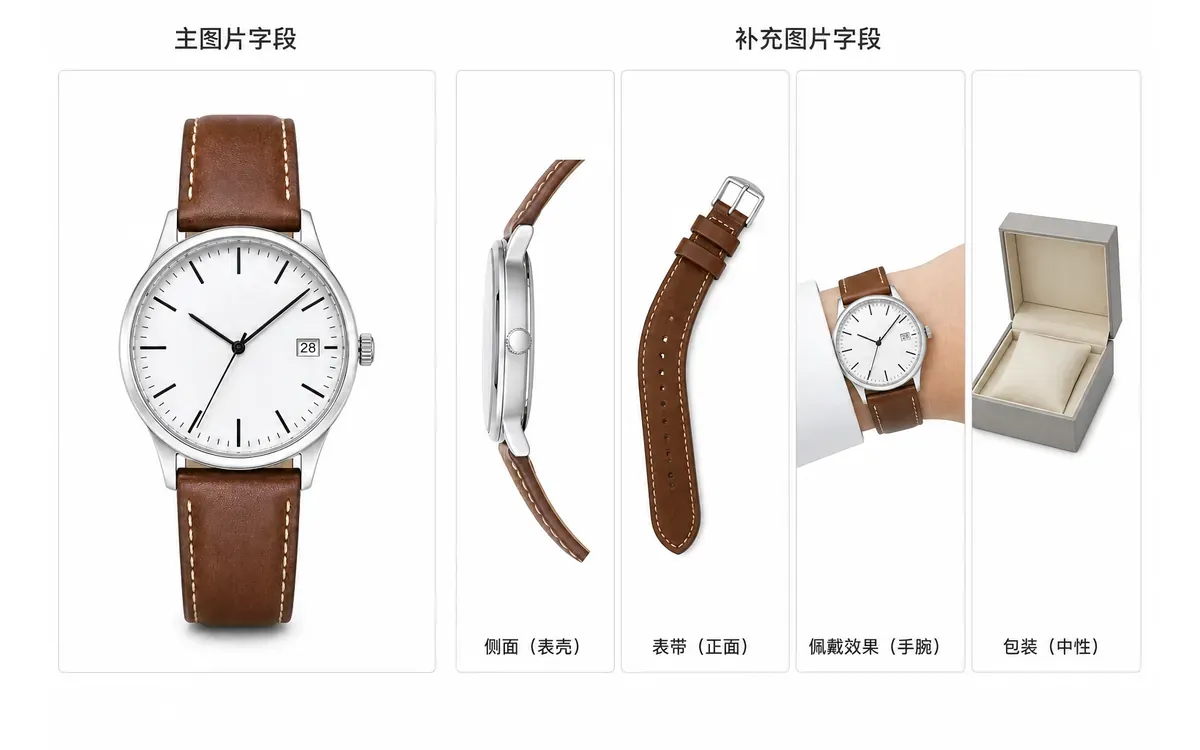
First, clearly distinguish between the main image and supplementary images, then arrange the supplementary images internally according to the buyer’s perceived priority.
VI. Common Issues with Watch Product Images on Google Shopping
1. Must the hands of a mechanical watch always point to the same time across different images?
Do not treat the time reading as a product specification; however, within the same set of images, it’s best to keep the positioning consistent or use positions confirmed by the brand. If there are changes in the number of hands, the pivot point, or the function of sub-dials, this does not constitute a time difference—such cases should be reworked.
2. Can the watch strap be replaced with another material in scene-based images?
Only create variant images if the alternative strap is an optional variation that buyers can select, while maintaining the original case and dial identity. Unsold straps must not be mixed into the current SKU image library.
3. Can glow-in-the-dark effect images be included in the Google Shopping image library?
If the current model has brand-approved glow-in-the-dark information, you may include the dim-light effect in supplementary images, while keeping the standard daylight image of the dial unchanged. Do not use post-processing effects to artificially expand the glow range, brightness, or duration.

AI Image Tool Built for E-commerce Teams
For new product launches, advertising, and promotional campaigns, use AI to generate product images, scene visuals, ad creatives, and short video assets — making content production faster.