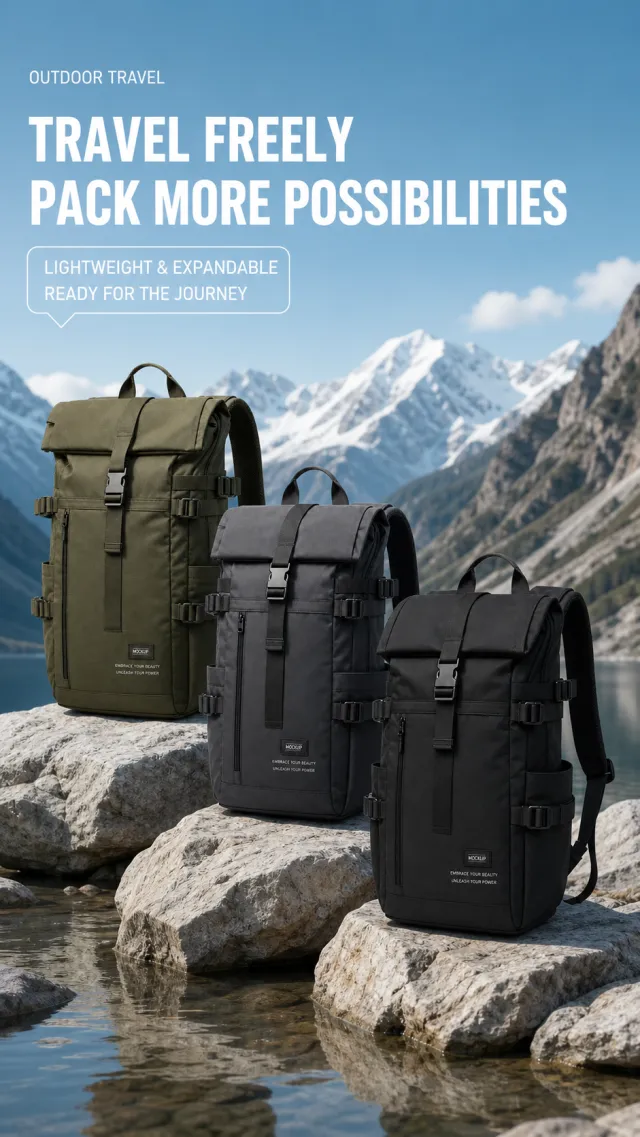
Based on the provided white-background product image, generate a detail page poster for an expandable travel backpack. The background features a distant view of pale blue valleys and snow-capped mountains, with three broad gray-white rocks in the foreground, beneath which shallow water reflects the water. On the top left side, there's a small white text reading "OUTDOOR TRAVEL," followed by a large white sans-serif title below that reads "Freely Traveled / More Possibilities Built," and below the title is a white outlined dialog label: "Lightweight and Expandable / More Relaxed on the Go."
Three product backpacks in the center are scattered across the rocks: olive green, graphite gray, and deep black, all featuring rolled-top flaps, center buckles, external drawstrings, and side pockets, with clear layers at the front and back. The three bags retain the expandable flap and external straps, allowing adjustment of fabric texture, folding methods, and rock position. The product originally carried brand information, using only the small woven labels "MOCKUP" and "EMBRACE YOUR BEAUTY, UNLEASH YOUR POWER." Avoid original brand, capacity expansion percentage, parameter footnotes, watermarks, screenshot borders, or excessive shadows.
【Execution Route | Do Not Display】
If the image-generation tool can be invoked multiple times: concatenate the sharing rules with A–F separately, execute six times, generating only one 1000×1000 square image each time.
If only a single image can be generated at a time: first set the interface/API to a 2:3 portrait orientation (do not use Auto), then arrange A/B, C/D, and E/F into a 2-column × 3-row grid; ensure all six cells are equal in size and maintain a visual aspect ratio of 1:1. The outer canvas must not be 1:1.
【Sharing Rules】
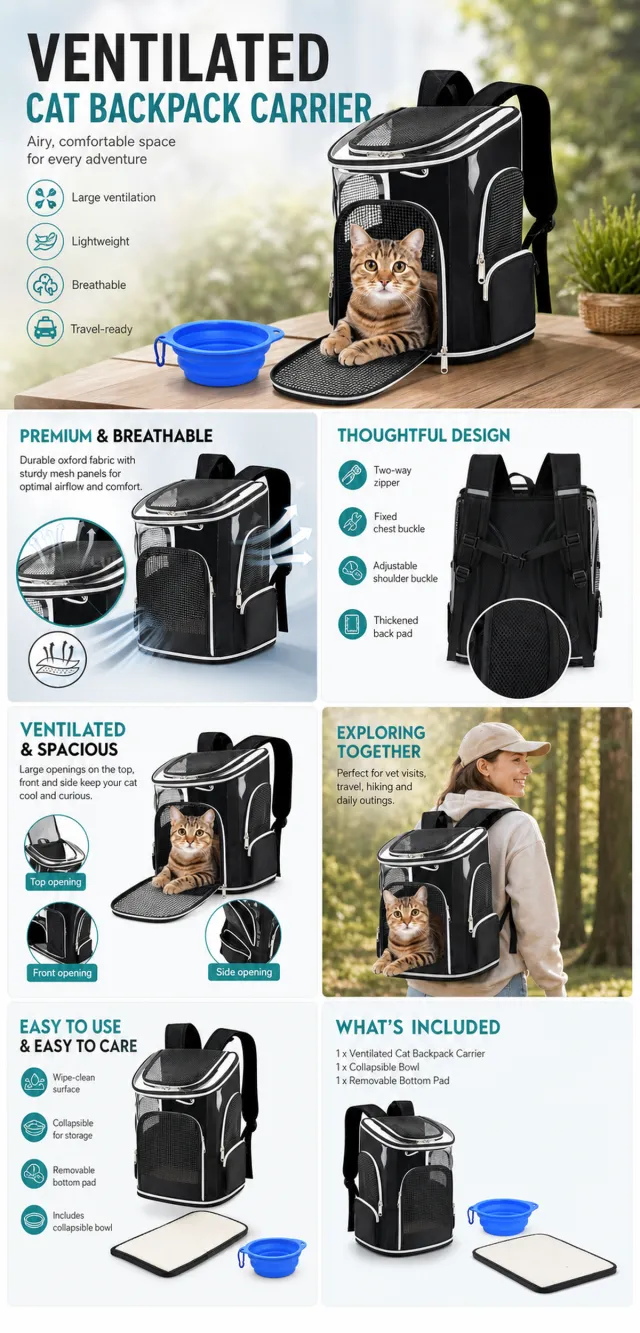
The provided product reference image serves as the sole basis for the product. The product is a ventilated cat backpack carrier. Strictly adhere to the reference image’s shape, structure, color, quantity, accessories, texture, and relative proportions; do not invent any components, specifications, or functions that are not shown. Use high-quality Amazon commercial photography and clear English infographics; color schemes should match the product, lighting should be realistic, and layout should be simple. Maintain natural proportions for the product, figures, hands, icons, and props—no stretching, flattening, or independent scaling is allowed. Titles, products, and labels must remain entirely within the safe area, with the background extending fully to all four edges. Only use MOCKUP for branding. No white borders, vertical sidebars, transparent fill‑ins, watermarks, contact information, social media accounts, original brand logos, platform identifiers, garbled text, distorted limbs, or unverified copywriting are permitted. A–F are solely control markers and must not be displayed.
【A | Product Overview】Title: “PRODUCT OVERVIEW.” The hero composition fully showcases the product along with the accessories depicted in the reference image; include three brief English icon‑based selling points, stating only information that is visible or verifiable.
【B | Materials & Design】Title: “MATERIAL & DESIGN.” Present materials, structure, surface finishes, or styling through an overall view of the product combined with 2–3 close-up details; ensure clear labeling without fabricating material names.
【C | Function in Focus】Title: “FUNCTION IN FOCUS.” Demonstrate key functions within realistic usage scenarios; maintain natural proportions among figures, hands, and the product, with actions appearing genuine and information instantly understandable.
【D | Details Up Close】Title: “DETAILS UP CLOSE.” Highlight 2–4 critical structural or operational areas using magnified details and short captions; do not alter the product’s structure.
【E | Everyday Use】Title: “MADE FOR REAL LIFE.” Showcase scenes of actual use, carrying, storage, or maintenance that align with the product; retain only one clear theme and avoid duplication with C.
【F | Packaging Contents】Title: “WHAT’S INCLUDED.” Lay out or neatly arrange the actual products and accessories shown in the reference image, ensuring accurate quantities and relative sizes; if the contents cannot be confirmed, instead display visible specifications, dimensional relationships, or usage steps, without fabricating numbers.
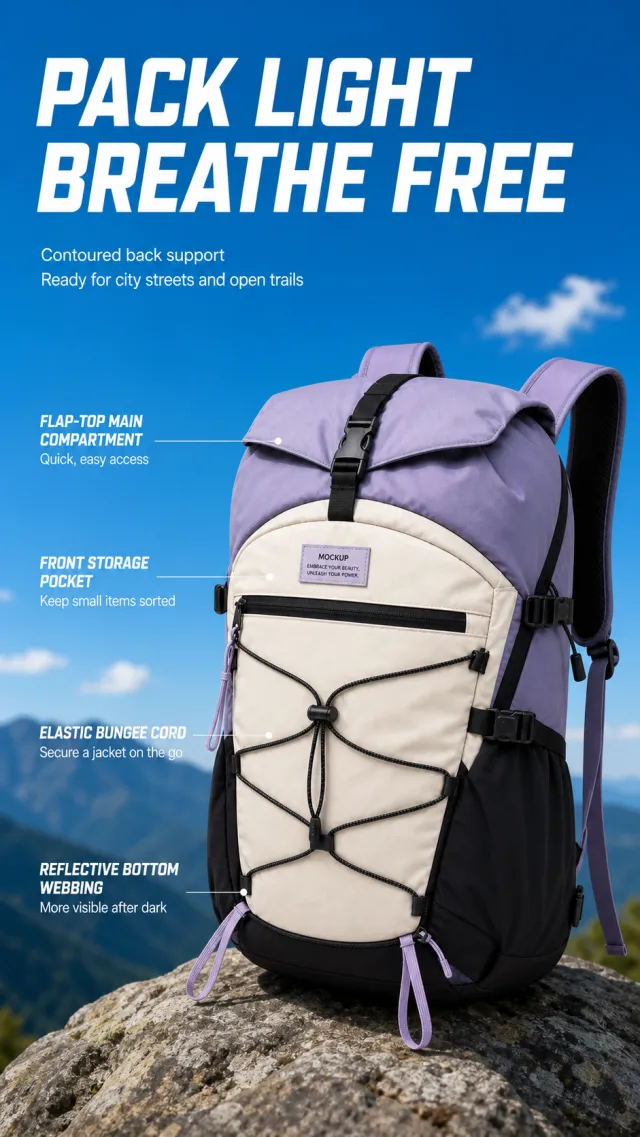
Based on the provided white-background product image, generate a detail page poster for the lightweight hiking backpack. The background is a clear sky blue, with a blurred deep blue-green ridge and a few white clouds at the bottom. On the top left, a thick white san-serif line reads "Light Pack / Breathe Free," with two lines of white below saying "Fits the back support design, easily carried in both city and countryside." On the right, there's a large-size patchwork hiking bag in purple-gray, off-white, and black, shown at a 3/4 front angle, with the external elastic cord, flap buckle, and shoulder strap clearly visible.
On the left, from top to bottom, four thin white horizontal lines lead to the product, accompanied by four text paragraphs: "Flip-top main compartment / Neater access and storage," "Front storage bag / Clearer small item sorting," "Elastic external hanging cord / Easily secure the jacket," "Reflective webbing at the bottom / More eye-catching at night." The hiking backpack's flap, outer cord, side buckle, and shoulder strap are retained, and the color-blocked zones and knots can be adjusted. The product originally included brand information, using only the small woven labels "MOCKUP" and "EMBRACE YOUR BEAUTY, UNLEASH YOUR POWER." The font is simple and sporty sans-serific, avoiding original brand, specifications, watermarks, and meaningless bottom borders.
Asset type: Amazon secondary product benefit image, 1:1 aspect ratio.
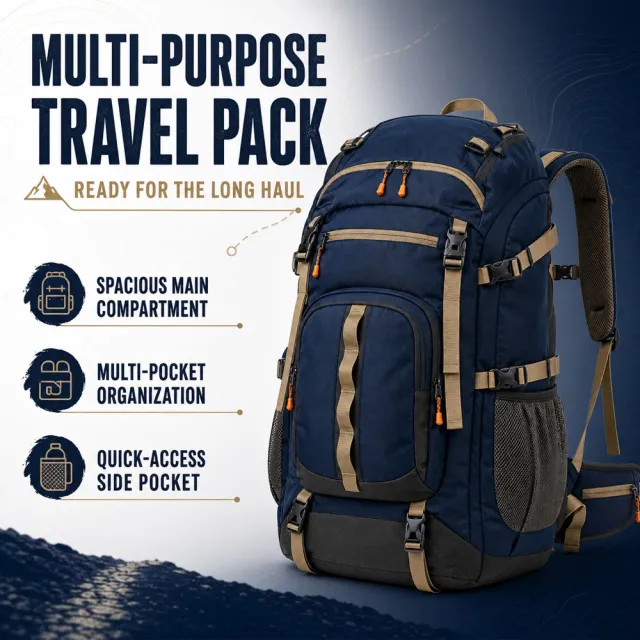
Create a polished product-benefit infographic from `1177_product.png`. Preserve the exact supplied product and its set components, and retain its original visual language, palette and flexible editorial layout.
Information-volume cap: render exactly 1 main title, 1 core benefit and 3 feature components. Add no other generated copy, badge, slogan, price or promotion.
Text (verbatim):
```
MULTI-PURPOSE TRAVEL PACK
READY FOR THE LONG HAUL
SPACIOUS MAIN COMPARTMENT
MULTI-POCKET ORGANIZATION
QUICK-ACCESS SIDE POCKET
```
Avoid: altered or extra products, watermark, typoed, overlapping or clipped text, prices and promotions.