PixPix MCP is officially launched: AI agents can directly leverage image and video capabilities.
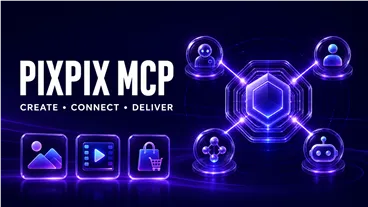
AI Agents are evolving from simply “proposing solutions” to “executing tasks.” Now, PixPix MCP has officially launched. Users can integrate PixPix’s capabilities for image generation, video creation, and e‑commerce content production into mainstream agents such as Codex, WorkBuddy, Claude Code, and ZCode, allowing a single conversation to seamlessly extend into the real‑world generation and delivery of visual content.
In the past, using AI to produce a complete set of marketing materials typically required switching back and forth between multiple tools: first having an agent organize requirements, then copying prompts into an image‑generation tool, and finally opening a video‑creation tool to finish dynamic content. With the integration of PixPix MCP, these generation steps can now be directly incorporated into the agent’s existing workflow.
I. What is PixPix MCP?
MCP (Model Context Protocol) can be understood as a standardized connection method between AI agents and external tools. Through PixPix MCP, after an agent understands the goal and breaks down the task, it can continue to call upon PixPix to complete image and video tasks—rather than stopping at merely providing text suggestions or outputting prompts.
In a nutshell: The agent handles understanding, planning, and coordinating the steps, while PixPix MCP takes care of executing image, video, and e‑commerce content generation.
For example, when you tell the agent:
Example prompt:
Create a full set of launch‑ready marketing materials for this new product, including a main product image, five product images in different scenarios, and a product showcase video.
The agent can break down the task based on the objective, invoke PixPix whenever visual content is needed, and then proceed to organize the results and move on to the next step.
II. Which AI agents are currently supported?
Currently, the PixPix MCP page lists mainstream agents such as Codex, WorkBuddy, Claude Code, and ZCode. For users who already handle development, operations, design, or content tasks within these platforms, PixPix can be seamlessly integrated as an additional visual‑content generation component—without altering their existing workflows.
1. Codex
While managing projects, code, and automation tasks, you can also generate promotional graphics, product visuals, presentation materials, or video content as needed.
2. Claude Code
You can link file analysis, content organization, task planning, and visual generation into a cohesive workflow. For instance, first read through product information, then use PixPix to create product images or videos that align with the product’s positioning.
3. WorkBuddy
Ideal for showcasing a complete agent workflow—from understanding requirements and organizing materials to invoking PixPix for generating images, videos, and e‑commerce assets—allowing tasks to flow continuously within a single workflow.
4. ZCode
Even in development‑oriented and automation‑focused tasks, PixPix MCP can enhance your capabilities by adding image and video generation features.
III. What can PixPix MCP do right now?
At present, PixPix MCP offers capabilities spanning general‑purpose generation, e‑commerce content creation, marketing videos, and image editing, among other areas. The specific features available depend on factors such as the scope of the rollout, account privileges, and model configurations.
General‑purpose generation: Image generation, video generation, video editing
E‑commerce content: Product image sets, A+ pages/details pages, product retouching, clothing photo series
Marketing videos: Livestream shopping videos, video re‑creations
Image editing: Image replication, high-definition enlargement, background removal
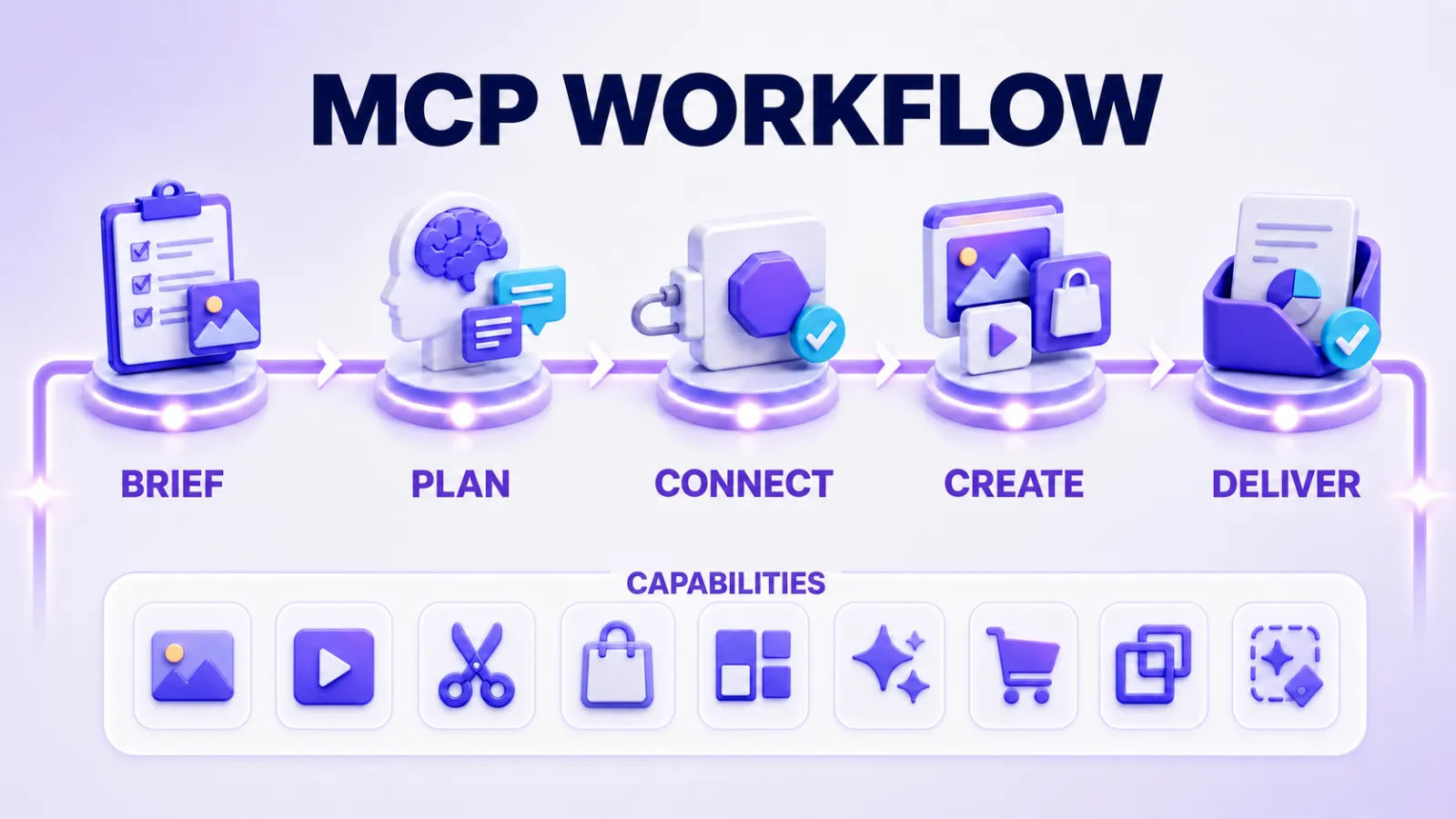
PixPix MCP workflow diagram
IV. From “one-time generation” to “a single workflow”
The value of PixPix MCP lies not only in reducing one web page switch, but more importantly, in integrating visual generation into the Agent’s continuous task execution process.
Take launching a new product as an example: traditionally, the process might be: organizing selling points → writing prompts → generating main images → creating scene images → producing product videos → finalizing and delivering. Now, you can directly assign the goal to the Agent and invoke PixPix at each step where content needs to be generated.
Example prompt
Referencing product.png, generate five e-commerce image sets for the same item, with consistent style but different scenes; then select one of them to create a product showcase video, keeping the main subject clear, and finally organize the results.
This approach is especially suitable for e-commerce operations, brand marketing, content teams, and developers who need to produce visual assets in bulk. For repetitive tasks, you can also provide uniform materials and requirements to the Agent, which will then call PixPix sequentially according to the task list.
V. How to use PixPix MCP?
No complex workflow setup is required before integration. After entering the PixPix MCP page, simply copy the provided prompt and send it to a supported Agent; follow the Agent’s instructions to complete the configuration.
Step 1: Enter the PixPix MCP page and copy the access prompt.
Step 2: Send the prompt to supported Agents such as Codex, WorkBuddy, Claude Code, ZCode, etc.
Step 3: Complete the configuration according to the Agent’s guidance; the first time you invoke the PixPix tool, PixPix account authorization will be completed in your browser.
Step 4: Once authorized, directly describe your task, materials, and desired outcome within the Agent’s conversation.
For example, you can directly input:
Example prompt
Use PixPix to generate a 16:9 e-commerce main image for skincare products: dark studio setting, blue glass bottle, teal contour lighting.
Alternatively:
Example prompt
Referring to the product.png on your desktop, generate a set of design proposal images featuring fabric textures and close-up details for this garment.
You can also have the Agent further transform these images into videos:
Example prompt
Turn this running shoe image into a product video with teal sporty lighting effects, keeping the main subject clear.
VI. Enabling Agents to truly enter the content production phase
In the past, AI Agents excelled at searching, organizing, writing, coding, and task planning. As connectivity methods like MCP continue to mature, the external capabilities that Agents can access are steadily expanding.
Once image generation, video creation, and e-commerce content production are integrated into the Agent workflow, the scope of each task will expand significantly: developers can quickly add visual assets to projects; operations and marketing teams can seamlessly produce social media images, event materials, and promotional videos; meanwhile, e-commerce teams can continuously generate product sets, detailed pages, and livestreaming content—all centered around the same product.
For users already leveraging Codex, Claude Code, WorkBuddy, or ZCode, PixPix can now be directly incorporated into their existing workflows, enabling AI to progress from “understanding requirements” all the way to “generating content.”
PixPix MCP is now officially available for use.
Integrate image, video, and e-commerce content generation capabilities into your AI Agent workflow.

AI Image Tool Built for E-commerce Teams
For new product launches, advertising, and promotional campaigns, use AI to generate product images, scene visuals, ad creatives, and short video assets — making content production faster.