PixPix launches a livestream‑to‑sale video feature: product images can now be used to directly generate TikTok and Reels marketing videos.
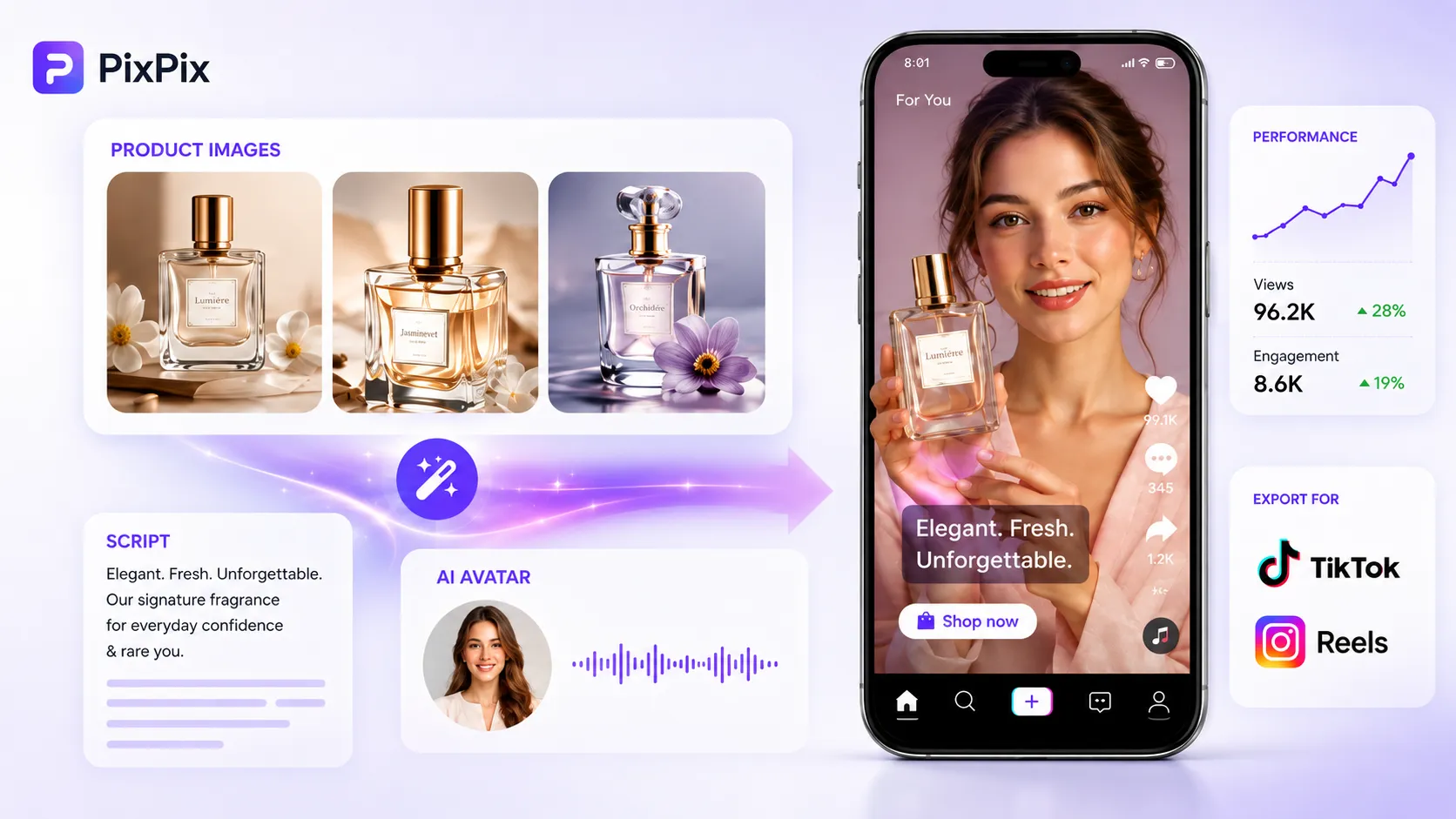
PixPix recently launched a brand-new “ product‑promotion video ” feature, further streamlining the content‑creation workflow from product images to marketing videos. Users can upload 1 to 3 product images, select a video type, and enter key selling points or a script to generate a 9:16 vertical‑format marketing video suitable for platforms like TikTok and Instagram Reels.
This feature is now available on the PixPix web platform, with video generation powered by Seedance 2.0. Users no longer need to shoot live‑action footage or perform video editing beforehand—instead, they can quickly create various types of short‑form content, such as UGC recommendations, product demonstrations, unboxing videos, or product tutorials, all based on existing product images.
For cross‑border sellers and e‑commerce teams that regularly produce short‑form video content, this new feature consolidates product assets, marketing scripts, actor appearances, and video production into a single workflow, allowing existing product images to continue being used for creating short‑form video content.
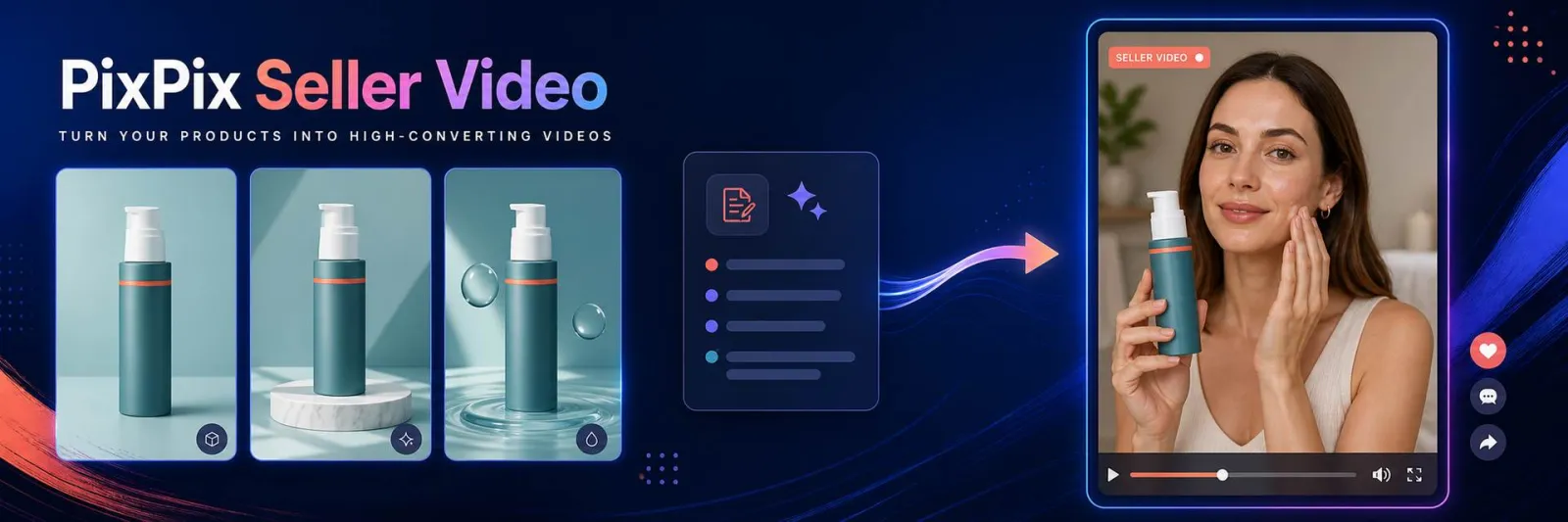
From selecting product images and video formats to generating finished vertical‑screen videos, PixPix brings all the major steps of creating promotional videos together on one page.
I. The PixPix product‑promotion video feature is officially live—what kinds of content can it generate?
The PixPix product‑promotion video feature is currently available on the “Seller Video” page.
Once on the feature page, users can first upload product images, then choose the target market’s language, video type, and model, while adding key selling points or customizing their own script, ultimately producing a complete vertical‑format product‑marketing video.
At present, PixPix offers eight commonly used video types:
UGC Recommendations
Seller Skits
Product Demonstrations
Product Tutorials
TVC Commercial Ads
Pain Point Solutions
Unboxing Videos
Reaction Demonstrations
Different video types correspond to distinct content structures.
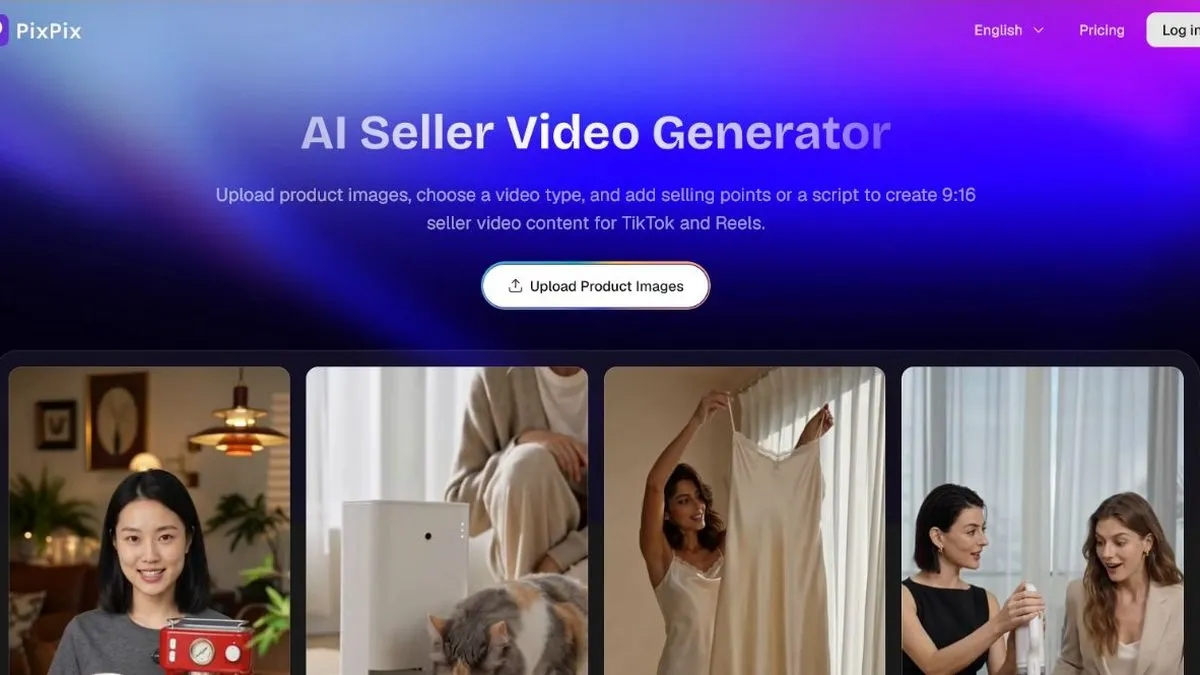
For example, UGC recommendations closely mirror how social media users share products; product demonstrations emphasize real‑world usage scenarios; pain‑point solutions organize content around specific consumer needs; and TVCs are best suited for highlighting product visuals and brand ambiance.
If the preset video types don’t meet your needs, users can also use custom scripts to independently design the opening sequence, highlight key product features, and craft concluding calls to action.
Regarding character presentation, PixPix supports AI‑generated models as well as uploading images of real models. When narration, demonstrations, or everyday usage scenarios are required, models can be incorporated; if the product itself is better showcased through its appearance and details, the camera focus can instead remain on the product itself.
II. From product images to promotional videos, what steps does PixPix handle?
Unlike simply stitching several static images together into a video, PixPix’s product‑promotion video feature organizes video content around the product itself.
Users can upload 1 to 3 reference images of the product. Based on the product’s appearance, the selected video type, key selling points, and script, the system generates corresponding shot sequences and a vertical‑format video.
Multiple reference images help provide comprehensive information from different angles. For instance, the same product can have front‑view, side‑view, and close‑up detail shots uploaded separately, enabling the model to gain a more complete understanding of the product.
Production Stage | User‑Provided Content | Corresponding Functions |
|---|---|---|
Product Materials | 1 to 3 product images | Provides references for product appearance, materials, and structure |
Content Direction | Video Type | Determines the overall video expression style |
Marketing Information | Product selling points or custom scripts | Decides on the video’s key focus and content sequence |
Character Presentation | AI models or existing model images | Used for explanations, demonstrations, or usage scenarios |
Market Adaptation | Market and Language | Creates marketing content tailored to specific markets |
Video Output | 9:16 vertical format | Adapts to short‑video platforms like TikTok and Reels |
This process allows product images not only to be used as main visuals, detail pages, and advertising graphics, but also to extend into short‑video marketing assets.
III. Which e‑commerce content scenarios are suitable for PixPix livestream videos?
Different products require different video presentation styles.
For cross‑border sellers, they can choose content directions that best suit their product characteristics.
1. UGC Product Recommendations
Suitable for beauty, home goods, apparel, consumer electronics, and daily necessities—products that benefit from a “user‑centric perspective.”
Content can start with a specific usage scenario or consumer need, naturally leading into the product’s selling points, closely resembling the typical short‑video structure found on TikTok and Reels.
2. Product Demonstrations
Ideal for products with clear functions and intuitive usage methods.
For example, kitchenware, small appliances, tools, and sports equipment—demonstrating product functionality through real‑world operation helps users quickly grasp how to use the item.
3. Product Explanations
When a product has multiple core features, structural details, or varied ways of use, a narrated explanation paired with product showcasing can present information in a logical sequence.
4. Pain Point Solutions
Craft a video intro that addresses the consumer’s specific pain point, then demonstrate how your product solves it.
Compared with simply listing features, this type of content structure makes it easier to explain “why this product is needed.”
5. Unboxing and Reaction Videos
Suitable for products that emphasize packaging design, first impressions, product details, and user experience; it can also be used for testing new‑product content.
6. TVC Commercial Advertisement
If you place greater emphasis on product texture, brand ambiance, and visual presentation, you can opt for a commercial‑style approach, employing more comprehensive shots and a richer visual language to showcase the product.
IV. When using PixPix for livestream shopping for the first time, how should you prepare your product materials?
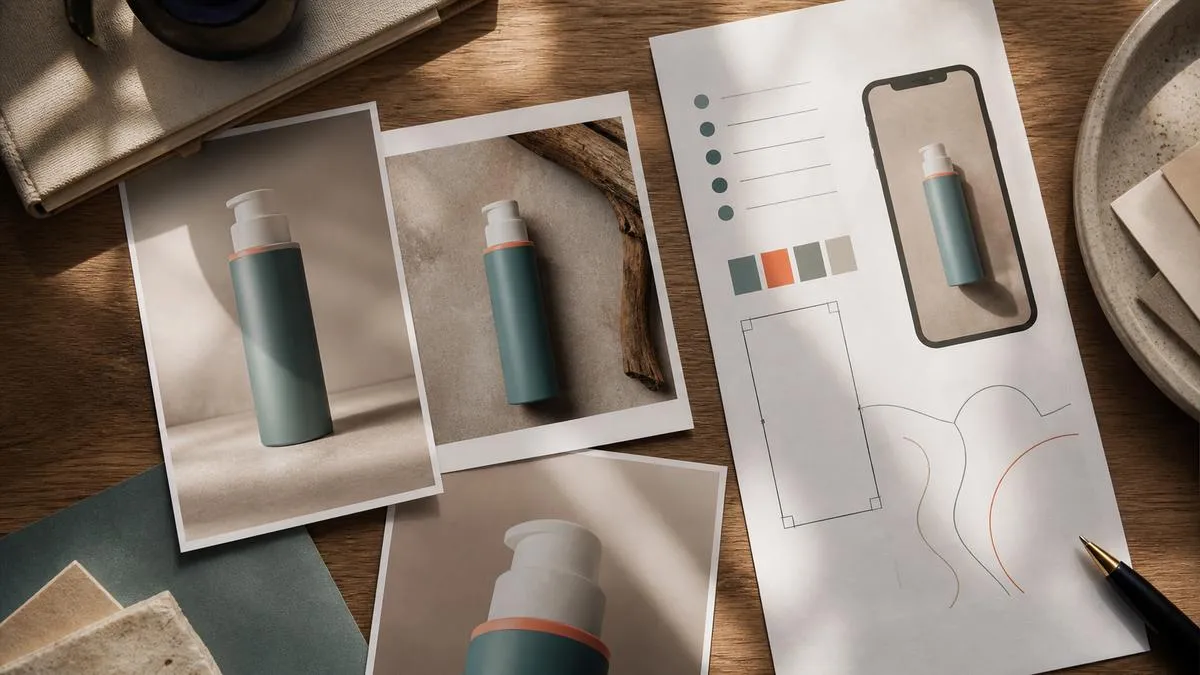
High-quality reference images help ensure product consistency across different shots.
When creating your first product, you can start by selecting an item with a clear design and well-defined key selling points for testing.
If you’re uploading only one image, we recommend choosing an angle that fully captures the product’s appearance.
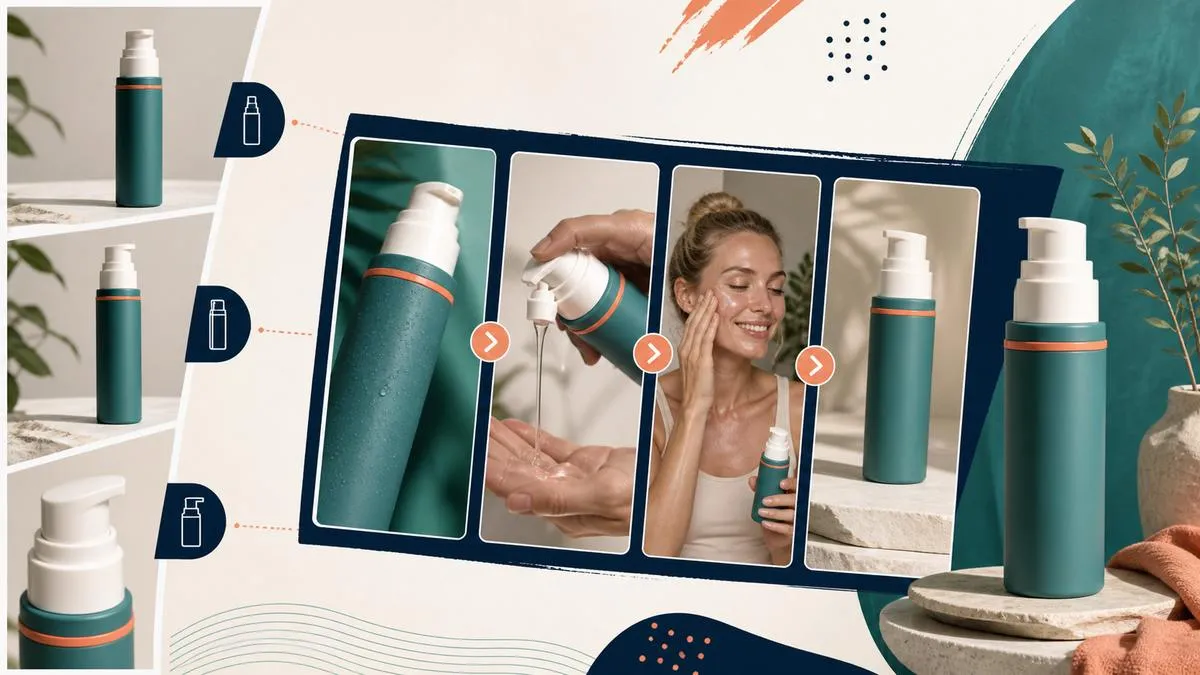
If three images can be provided, they can be used as follows:
Front view of the product;
Product side view or images from different angles;
Detailed images that highlight material, interface, or structural details.
Reference images should, whenever possible, be sourced from the same SKU and maintain consistency in product color, packaging version, and included accessories, to prevent conflicting information from being conveyed to the model by disparate assets.
Product selling points should also be as specific as possible.
Rather than using generic descriptors like “premium,” “practical,” or “worth buying,” it’s better to clearly specify the product name, its key features, the target audience, typical use cases, and any unique differentiators.
For example, a portable juicing cup can be described as:
“One-handed activation; the cup body can double as a travel mug, making it ideal for the office, post‑workout, and on the go.”
When providing specific details such as capacity, power, battery life, price, and discounts, the official product specifications and approved marketing materials shall prevail.
5. How do you create a PixPix livestream shopping video?
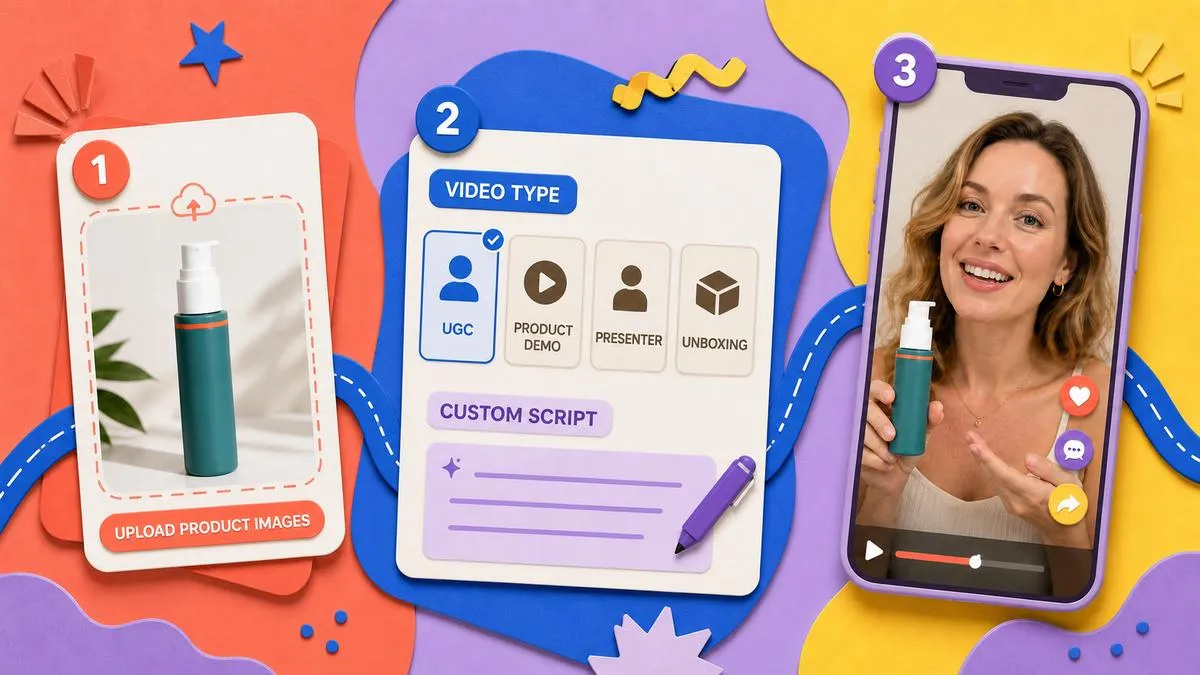
The entire production process is mainly divided into three steps.
Step 1: Upload product images
Upload 1 to 3 clear product images to provide visual and structural reference for subsequent video generation.
It’s best if multiple images are of the same SKU and maintain consistent color, packaging, and accessories.
Step 2: Select the video type and fill in the details.
Choose the appropriate format from among UGC recommendations, product demonstrations, product reviews, unboxing videos, TVCs, and other video types, then highlight the product’s key selling points.
If you need more precise control over the content sequence, you can switch to a custom script and separately configure the opening, product showcase, and closing call-to-action.
Step 3: Select a model and generate the video.
Select an AI model based on your video’s requirements, or upload a custom model image.
Once you’ve confirmed your target market, language, and content settings, you can submit your request to generate a 9:16 vertical‑format livestream shopping video.
If you need to create multiple versions around the same product, we recommend first locking the product image, then separately adjusting the opening sequence, script, model, or video type.
This makes it easier to compare the real-world performance of different creative directions and facilitates the ongoing production of new short‑video content.
6. After generating a product‑promotion video, what key elements should you carefully review?
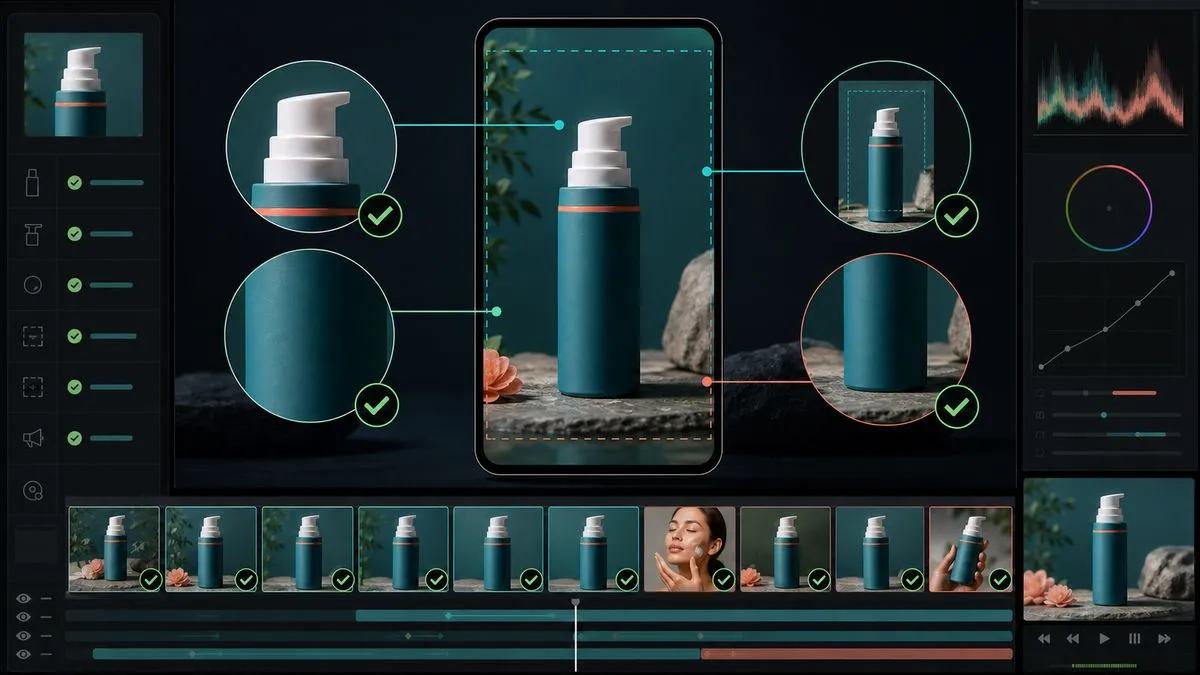
AI-generated content can streamline initial shooting and production processes, but it’s still advisable to conduct thorough manual reviews before deploying it across marketing channels.
First, confirm the product itself.
You can pause at several shots where the product is displayed most clearly to check whether the product’s color, shape, interfaces, buttons, packaging, and accessories match the actual SKU.
Next, review the copy and subtitles.
The product name, specifications, feature descriptions, price, and promotional information should all align with the actual details. Also, make sure the subtitles don’t overlap with any obscured areas of the platform interface.
Additionally, verify that character movements and interactions with the product appear natural—for example, the positioning when picking up the item, how switches are operated, and whether real‑world usage actions follow the product’s intended logic.
Finally, check the call-to-action at the end of the video to avoid presenting multiple conflicting purchase or redirect instructions simultaneously.
Once you’ve completed checks on the product, script, subtitles, and camera angles, proceed to the official publishing or ad‑placement process on platforms like TikTok and Instagram Reels.
VII. Common Questions About PixPix’s Product‑Promotion Video Feature
1. Do I need to shoot my own videos to use PixPix’s product‑promotion feature?
No—you don’t need to prepare complete video footage beforehand. Users can directly upload one to three product images and then generate a vertical‑format marketing video based on the chosen video type, product highlights, or script.
2. Can I customize the video script myself?
Yes, you can.
Users may either select from PixPix’s preset video types or create a custom script, allowing for more detailed settings of the opening sequence, product showcase, and closing call‑to‑action.
3. Do I have to use an AI model?
Not necessarily.
Depending on the content type, you can either use an AI model or upload photos of existing models. If the product doesn’t require human presence, you can emphasize product displays and usage shots to convey your message.
4. Can I create multiple versions of the same product?
Yes, you can.
For products that need testing across different content directions, you can keep the reference product image unchanged while adjusting the video type, script, model, or key selling points to generate various versions for comparison.
5. Which platforms are suitable for the generated videos?
Currently, these product‑promotion videos are primarily in 9:16 vertical format, making them ideal for platforms like TikTok and Instagram Reels, which focus on short vertical videos.
Summary
With the launch of PixPix’s product‑promotion video feature, existing product images can now seamlessly enter the short‑video production workflow.
From uploading product images and selecting content types to adding key selling points, setting up models, and generating 9:16 marketing videos—most of the main production steps can be completed within PixPix. For cross‑border sellers and e‑commerce teams who regularly update content across channels like TikTok and Instagram Reels, this helps streamline the process between static product materials and finished short videos.
At present, PixPix’s product‑promotion video feature is available on the web platform. Users can visit the Seller Video page, upload product images, and begin creating their videos.

AI Image Tool Built for E-commerce Teams
For new product launches, advertising, and promotional campaigns, use AI to generate product images, scene visuals, ad creatives, and short video assets — making content production faster.