PixPix has been integrated into Wan3.0: it now supports up to 30 seconds, with unified upgrades for text-to-video, image-to-video, and multi-modal reference generation.
Alibaba Cloud’s next-generation video generation model, Wan3.0, has officially entered the user spotlight. As a multimodal video generation model, Wan3.0 integrates text-to-video, image-to-video, keyframe control, and reference-based video generation into a single unified framework, while extending the maximum duration of a single video generation to up to 30 seconds.
Currently, PixPix has completed integration with Wan3.0. Users no longer need to configure APIs themselves; they can simply select Wan3.0 through PixPix’s AI video generation interface and begin creating videos using text, images, and other materials.
Enter PixPix AI Image and Video Generation to experience AI-powered video creation.
I. What new capabilities of Wan3.0 are worth noting?
Wan3.0-Video is positioned as an all-in-one video generation model. According to official information from Alibaba Cloud’s Bailian platform, the model can accept various types of input—including text, images, videos, audio, files, and web links—and seamlessly handle tasks such as text-to-video, image-to-video, and reference-based video generation.
For real-world video creation, this means users are no longer limited to starting with just a sentence of text. If you already have product images, you can directly bring those products to life; if you have reference photos of people, you can design additional movements and camera angles around them; and if you want to precisely control the opening and closing scenes of your video, you can use keyframes for more specific visual constraints.
Compared to single-purpose text-to-video models, this multimodal approach is particularly well-suited for creators who already have visual assets, e-commerce teams, and brand content teams.
II. Up to 30 seconds: Taking AI-generated videos from short clips to more complete sequences
Another noteworthy change in Wan3.0 is its ability to generate videos up to 30 seconds long.
According to Alibaba Cloud’s Bailian documentation, when no video input is provided, Wan3.0 can generate videos ranging from 2 to 30 seconds in length. It also offers three resolution options—480P, 720P, and 1080P—and supports intelligent duration settings and audio output.
In the past, when creating slightly longer content with AI video models, it was common practice to separately generate multiple 5-second or 10-second segments and then stitch them together during post-production.
With the extended video length of up to 30 seconds, a single piece of footage can now accommodate more comprehensive motion transitions and camera movements. For example, a product can smoothly transition from static display to real-world usage scenarios, a character can execute continuous movement patterns, or environmental changes can be fully realized within a single shot—all providing greater creative flexibility.
Of course, 30 seconds doesn’t mean every project must produce a full 30-second video. For product demonstrations, subtle character animations, or social media content, shorter videos remain easier to manage. The added length truly expands creators’ options when designing shots and sequences.
III. PixPix has integrated Wan3.0—how can ordinary users start using it right away?
Developers can access Wan3.0 via Alibaba Cloud’s Bailian API; however, for content creators, e-commerce operators, designers, and brand teams, APIs aren’t necessarily the most direct way to experience this new model.
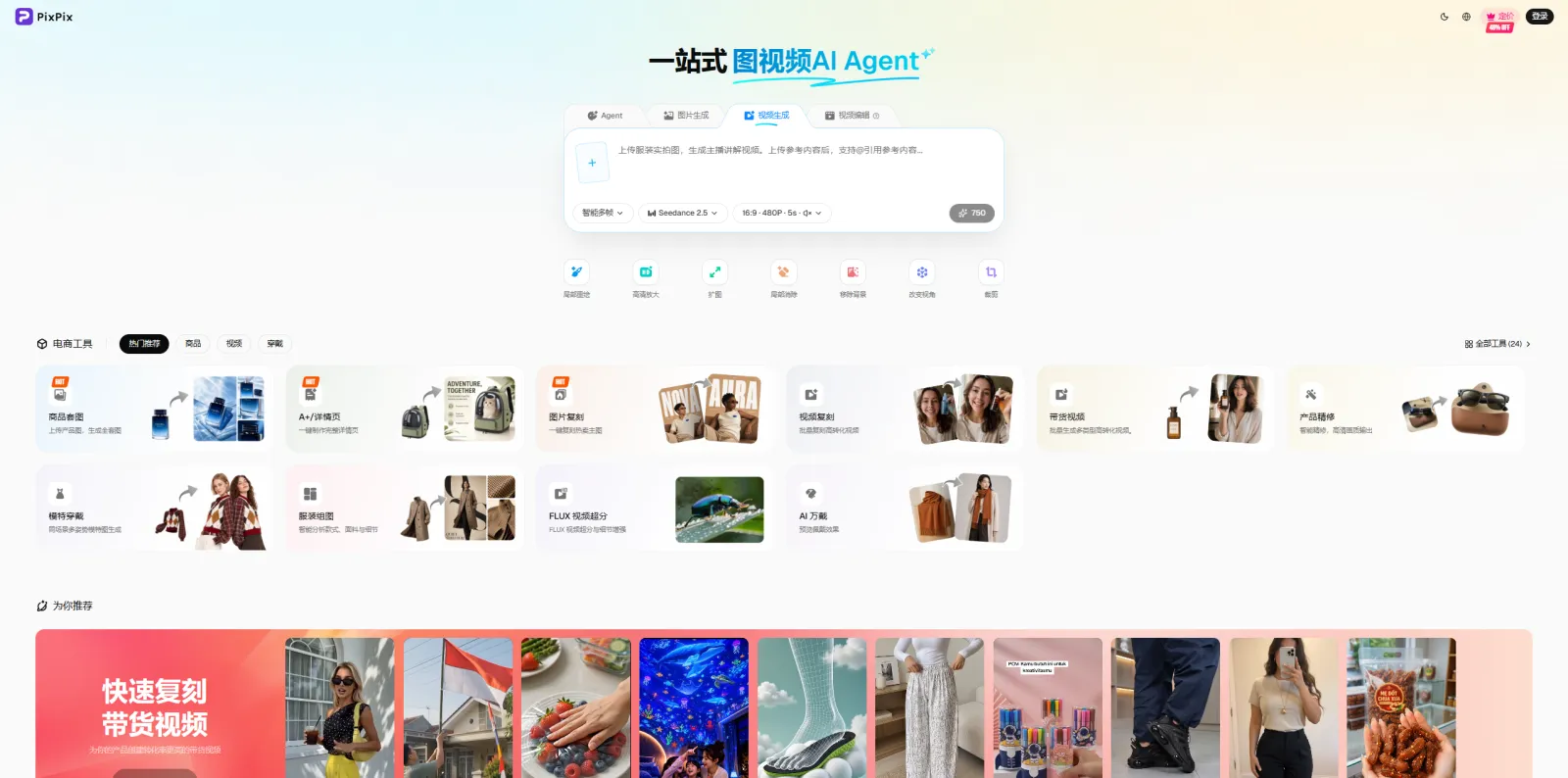
PixPix has already integrated Wan3.0. Once on PixPix’s AI video generation page, users can choose Wan3.0 based on their creative needs and begin generating videos by providing textual descriptions or uploading reference images. PixPix itself supports creating dynamic video content from text or reference images, making it suitable for applications such as product showcases, animated characters, cinematic-style shots, social media videos, and advertising concepts.
The actual workflow can be summarized as follows:
Enter PixPix’s AI video generation interface and select Wan3.0.
Provide textual prompts according to the task requirements, or upload reference materials such as product images, portraits, or scene photos.
Describe the main action, camera movement, environmental changes, and visual style.
Refine the motion intensity, camera language, and prompts based on the initial results.
For first-time users of Wan3.0, it’s recommended to start testing with a single subject, one primary action, and one type of camera movement. Compared to introducing numerous complex requirements at once, this approach typically makes it easier to assess whether the model understands the provided materials and prompts as expected.
IV. How can Wan3.0 reuse existing image assets for image-to-video generation?
In PixPix’s real-world applications, Wan3.0’s image-to-video capability is particularly noteworthy. Many e-commerce and brand teams don’t lack images—they lack video assets that can be quickly deployed across social media, advertising campaigns, and product showcases.
For example, if you already have an image of a perfume product, you can create a shot where the camera slowly circles around the item while enhancing glass highlights and adding atmospheric background effects. If you’ve got a model photo of clothing, you can add a character turning, fabric swaying, and a zoom-in effect. Even with a landscape image, you can further generate moving clouds, rippling water, or a forward‑moving camera perspective.
The value of this workflow lies in the fact that companies can continue reusing their existing product photos, promotional images, and visual assets—eliminating the need to start from scratch every time they produce short videos.
When it comes to crafting prompts, image-to-video generation differs from text-to-video creation. For images with a clearly defined subject and composition, there’s no need for lengthy descriptions of the scene; instead, it’s more important to specify precisely: what aspects of the subject should remain unchanged, how the subject should move, how the camera should pan or zoom, and what changes should occur in the environment.
Keep the product’s main subject, packaging design, and text unchanged; slowly zoom in from the front while gently panning to the right, allowing the product’s surface highlights to naturally follow the camera movement, and introducing soft light spots in the background—all maintaining the high‑end commercial photography aesthetic.
This type of prompt typically offers more tangible control than simply adding style descriptors like “high‑end,” “cinematic,” or “8K.”

V. From Product Videos to Social Media: Where Can Wan3.0 Be Used?
Based on its current capabilities, Wan3.0 is not merely a video‑generation tool for creating creative demos—it has practical applications across many common content‑creation scenarios.
E‑commerce product videos: Transform product main images, white‑background shots, or detail page visuals into dynamic showcase videos, enhancing product appeal through camera zooms, subtle rotations, lighting effects, and expanded scene transitions.
Human‑and‑model videos: Add natural movements such as blinking, head turns, walking, glances back, hair swaying, and clothing fluttering based on reference images, suitable for social media content, apparel presentations, and human‑visual asset production.
Advertising concept validation: Before committing to costly full‑scale production, rapidly generate multiple visual concepts and camera angles via AI, compare different creative directions, and then decide on the next steps.
Short‑video content for platforms like Xiaohongshu, TikTok, and Reels: Use these tools to supplement ambient shots, product transitions, character animations, visual cutscenes, and opening sequences, enabling static images to seamlessly integrate into the video‑production workflow.
VI. How Is PixPix Continuously Expanding Its AI Video‑Generation Capabilities?
As AI video models evolve, the focus of creative tools is also shifting. For everyday users, simply being able to “generate videos” is no longer enough. The ability to swiftly switch between models, build upon existing assets, maintain consistency across characters and products, and repurpose generated results for e‑commerce and marketing content are becoming increasingly critical considerations.
PixPix continues to integrate mainstream image and video generation models, aligning their capabilities with real‑world use cases such as product videos, human‑visual content, advertising concepts, and social‑media material, enabling users to complete the entire creative process—from images to videos—on a single platform.
With the recent integration of Wan3.0, PixPix has further strengthened its expertise in long‑form video, multi‑modal references, and image‑to‑video generation. Users can now leverage Wan3.0 within PixPix to experiment with text‑to‑video, image‑to‑video, and other forms of video creation based on reference materials.
Enter now at PixPix AI Image and Video Generation, and experience Wan3.0’s video‑generation capabilities.

AI Image Tool Built for E-commerce Teams
For new product launches, advertising, and promotional campaigns, use AI to generate product images, scene visuals, ad creatives, and short video assets — making content production faster.