ByteDance has launched Seedream 5.0 Pro, with PixPix being the first in the industry to integrate and now available for use.
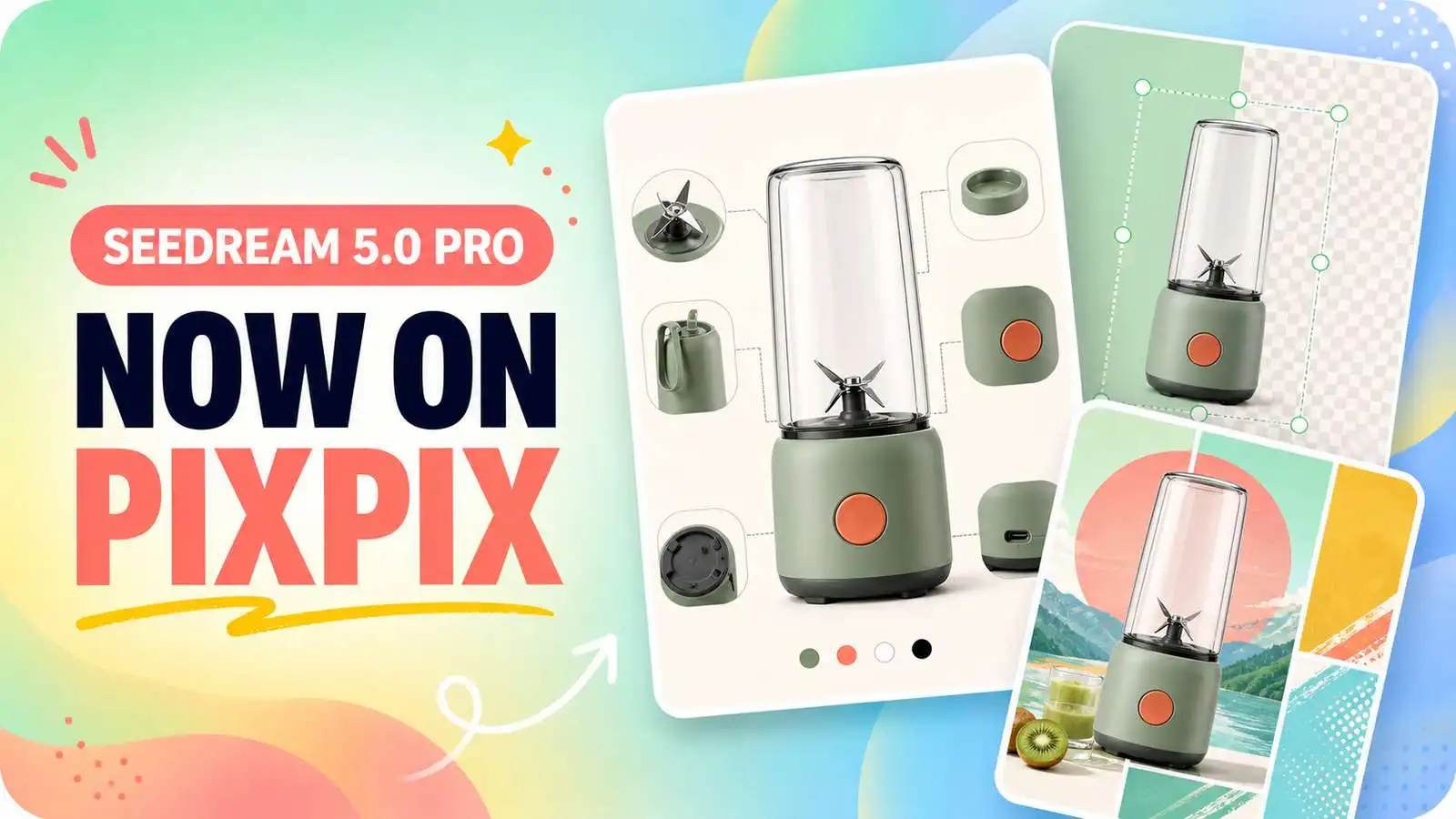
On July 8, 2026, ByteDance’s Seed team officially released the multimodal image creation model Seedream 5.0 Pro. The model has been upgraded in areas such as text–image understanding, complex layout generation, precise image editing, realistic texture rendering, and multilingual text generation.
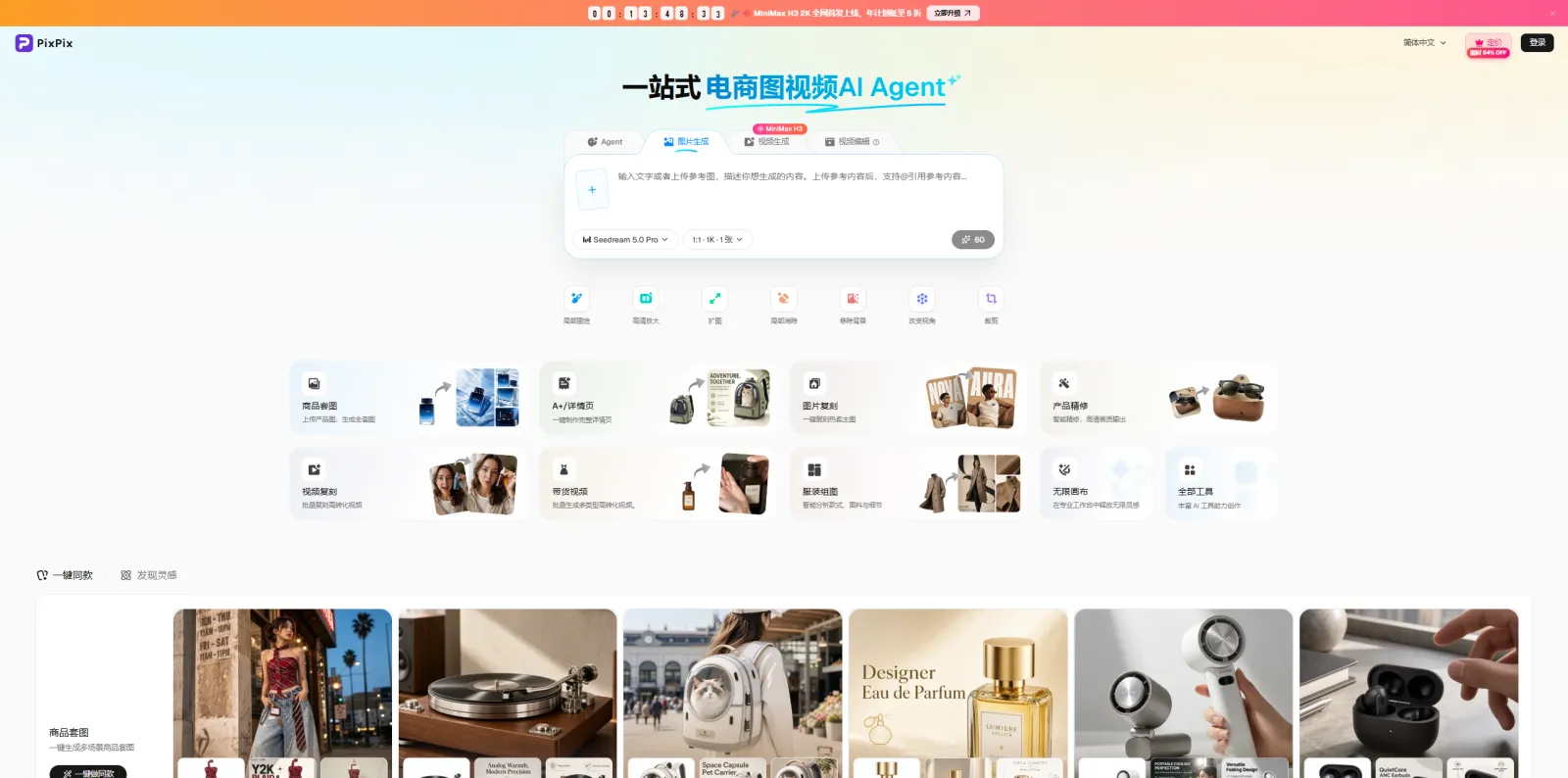
Following the model’s release, PixPix promptly completed the industry’s first integration. Currently, Seedream 5.0 Pro is available on PixPix; users can directly access the PixPix image-generation interface to select this model without needing to separately configure APIs or set up a runtime environment, allowing them to create using textual descriptions or reference images.
I. What capabilities have been upgraded in Seedream 5.0 Pro?
According to official information released by ByteDance’s Seed team, Seedream 5.0 Pro not only continues to enhance image clarity and visual appeal but also further targets practical production scenarios such as posters, infographics, commercial design, and photo editing.
This release focuses on four key areas: complex information visualization, interactive precision editing, realistic image textures, and multilingual generation.
1. Complex information and text can be integrated into a single image
Seedream 5.0 Pro has strengthened its ability to organize data, concepts, charts, and dense text, enabling it to handle titles, captions, diagrams, product information, and various visual elements all within one image.
Official demonstration examples include educational infographics, professional charts, film storyboards, promotional posters for products, and e-commerce homepage interfaces. The model arranges information hierarchies based on content relationships, rather than simply layering text over a background.
For e-commerce users, this capability can be used to create:
Product highlight infographics;
Product specification diagrams;
Event promotion posters;
Independent website homepage visuals;
Social media ad creatives;
A+ page and detail page modules.
For example, when creating a product promotion image, users can specify in their prompts the product’s placement, headline content, key selling points, event dates, button areas, and overall visual style, enabling the model to better grasp the final layout.
2. Image editing becomes more precise and controllable
In the past, when modifying images with text, the model might understand “what needs to be changed” but struggle to accurately determine “where to make the changes.” Seedream 5.0 Pro enhances its understanding of spatial positioning and localized areas, supporting editing through selection boxes, circular selections, sketches, and positional markers.
The officially announced editing capabilities include local additions or deletions, color adjustments, material replacements, sketch-based rendering, layer separation, and multi-image blending. The model can first identify the regions requiring modification while striving to preserve unaffected parts of the image.
In product image creation, these capabilities are particularly suitable for handling:
Replacing product backgrounds;
Adjusting local colors or materials;
Removing unnecessary objects from the scene;
Adding layouts based on sketches;
Combining multiple reference images into a single scene;
Continuing to expand creative ideas based on existing images.
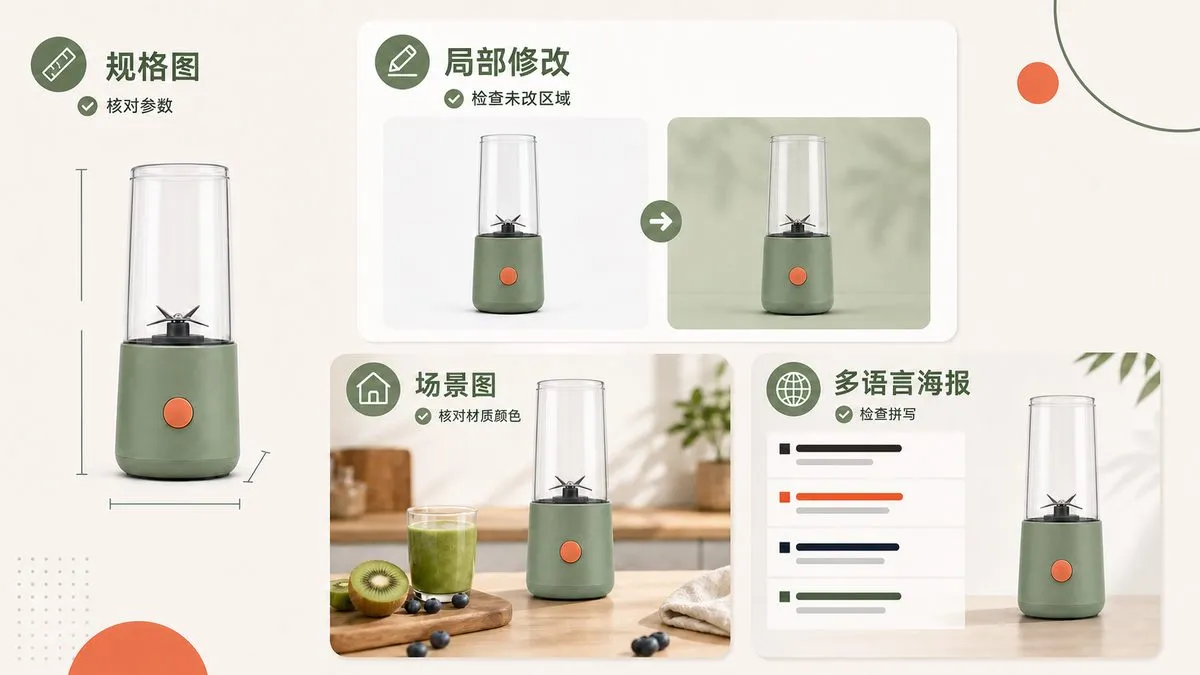
It should be noted that the image editing results will still be influenced by the original image’s clarity, the quality of the reference image, and the accuracy of the prompt. Before using these images on official product pages, always verify that the product’s color, structure, packaging text, and accessories match the actual SKU.
3. Enhanced lighting, material properties, and human texture
Seedream 5.0 Pro has been improved to better render realistic light and shadow, object materials, and human skin textures. According to official information, the model can handle reflections, refractions, translucency, motion blur, as well as variations in different materials under ambient lighting, thereby enhancing the photographic quality of the images.
This enhancement is particularly important for product visuals. Different materials—such as glass, metal, leather, wood, fabric, plastic, and liquids—require distinct reflections and textures. If all products are rendered with uniform glossiness, the final output may easily resemble ordinary CGI effects.
When using Seedream 5.0 Pro, you can clearly specify the product’s material, shooting environment, light source direction, and photography style in your prompt. For example:
Use the perfume bottle from the reference image as the main subject, preserving the bottle’s proportions, glass transparency, cap structure, and label placement. Employ a high-end commercial product photography style, with soft sidelighting from behind; natural highlights appear along the glass edges, while subtle reflections remain on the tabletop. The background should be a low-saturation warm gray, without adding extra text or decorations.
The closer the description aligns with real-world shooting requirements, the easier it is for the model to understand the desired texture of the product.
4. Supports input and generation in over ten common languages
Seedream 5.0 Pro natively supports prompt input and text generation in more than ten commonly used languages. In addition to Chinese and English, officially supported languages include French, German, Russian, Japanese, Korean, Spanish, Arabic, and others.
The model also adjusts text presentation according to each language’s typographic conventions—for instance, Arabic reads from right to left, while Spanish uses accent marks.
This capability is ideal for cross-border teams creating advertising posters, event materials, and localized product images for various markets. Products and backgrounds can remain consistent, while generating language-specific versions tailored to different countries or regions.
However, just because the model can generate multilingual text doesn’t mean translated content can bypass review. Brand names, product models, prices, discount terms, dates, and localized expressions must still be manually checked against approved copy.

II. Why Seedream 5.0 Pro Attracts E-commerce Users
E-commerce image requirements are typically far more complex than those for general creative imagery.
A product image must not only look appealing but also accurately preserve the product’s true shape, color, and material, while simultaneously highlighting key selling points, incorporating marketing text, adhering to specific dimensions, and meeting layout requirements across various channels.
The enhancements introduced in Seedream 5.0 Pro—complex information organization, localized editing, material representation, and multilingual generation—directly address several common stages in e-commerce content creation.
Product main images and scene shots
Users can upload real product photos and then use textual descriptions to generate different scenes. During production, it’s essential to explicitly request that the product’s outline, colors, interfaces, packaging, and accessories be preserved, preventing the model from altering the product design on its own.
Event posters and advertising materials
The model can handle complex compositions comprising titles, products, key selling points, dates, and event details, making it suitable for creating Black Friday, Christmas, new-product launch, and seasonal promotion materials.
Before official use, carefully check every detail—prices, discounts, promotional codes, and deadlines.
Product detail pages and infographics
For images that need to simultaneously showcase product structure, functional explanations, usage instructions, and specification parameters, users can provide detailed prompts outlining module relationships, reading order, and overall layout.
After generation, fine-tuning text based on actual specifications can significantly reduce the time required to lay out designs from scratch.
Multilingual cross-border materials
The same set of product visuals can be further adapted into English, Japanese, Korean, Spanish, and other language versions, suitable for independent websites, social media, and overseas ad campaigns.
Since text lengths vary across languages, simply replacing words isn’t enough; font sizes, line breaks, and white space around the product must also be rechecked.
III. What Does PixPix’s Industry-First Integration with Seedream 5.0 Pro Mean?
Following the release of Seedream 5.0 Pro, PixPix promptly completed its industry-first integration. Currently, this model is already live on PixPix and ready for direct use.
For ordinary users, there’s no need to apply for a model API or write any code. Simply enter PixPix, select Seedream 5.0 Pro, input text descriptions or upload reference images, and you can start generating right away.
PixPix integrates various image and video models into a unified online creation workflow. Users can begin with a single product photo and continue creating product scene images, marketing posters, social media assets, detail page visuals, and even video content—eliminating the need to repeatedly upload and download materials across multiple platforms. The PixPix official website currently offers workflows such as image generation, reference-based creation, photo editing, image enlargement, local retouching, product series creation, and A+ detail page design.
With the integration of Seedream 5.0 Pro, users can also choose different models within PixPix based on their specific tasks. For example:
When creating posters with extensive text and numerous modules, leverage its sophisticated information organization capabilities;
When continuing creative work based on a product’s original image, upload the picture for generation or editing;
When producing overseas advertisements, experiment with layouts in different languages;
When adjusting specific elements, make further modifications directly on the original image;
When exploring various marketing directions, generate multiple compositions and visual concepts for comparison.
IV. What Should You Keep in Mind When Using Seedream 5.0 Pro to Create Product Images?
Seedream 5.0 Pro has enhanced both generation and editing capabilities, but AI-generated images still cannot replace the review process for product information.
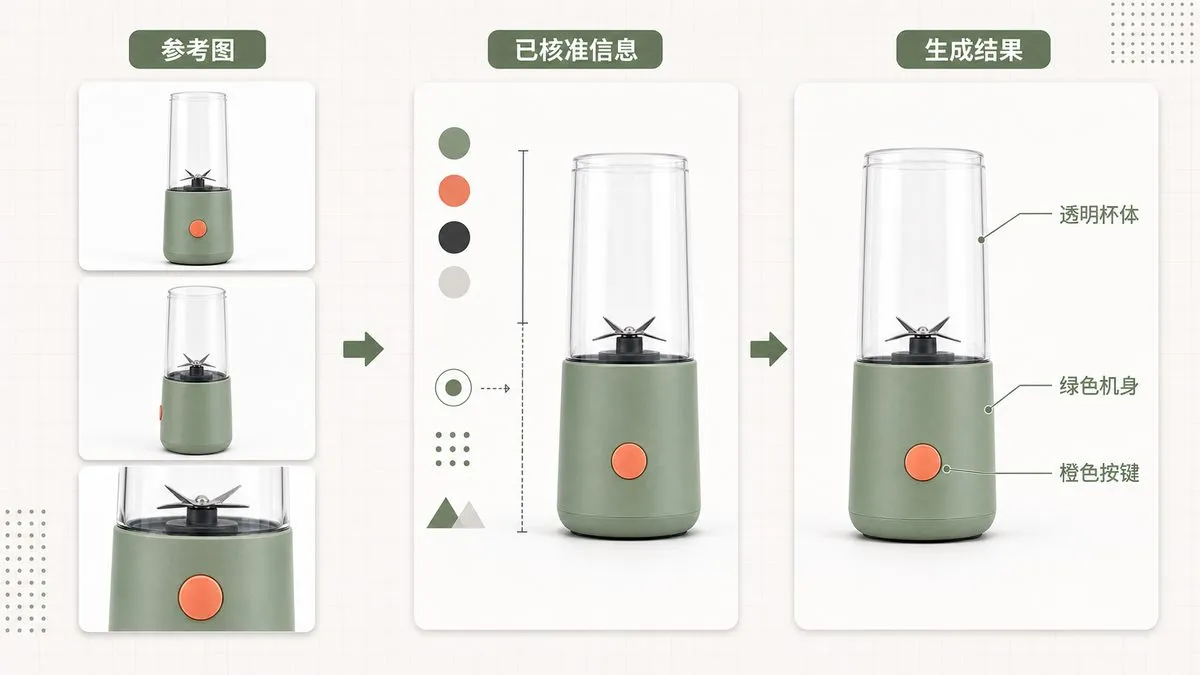
Before starting the generation process, it’s recommended to prepare clear front, side, and close-up images of the product, ensuring they all belong to the same SKU. Do not mix images of products with different colors, packaging, or versions as references.
In your prompt, clearly specify the following details:
The product’s true color, material, and structure;
Any packaging text or brand elements that must be preserved;
The product’s position and size within the frame;
The background environment, lighting, and shooting angle;
Areas reserved for titles or buttons;
Prohibited modifications or additions to product details;
The final channel and image proportions to be used.
After generation is complete, carefully check the following:
Whether the product’s appearance matches the reference image;
Whether the product’s color, interfaces, buttons, and accessories are correct;
Whether there are any spelling errors in packaging or brand text;
Whether the composition includes features not actually present on the real product;
Whether pricing, discounts, dates, and promotional rules are accurate;
.Are the image dimensions and safe area compliant with the publishing platform’s requirements?
V. Seedream 5.0 Pro and PixPix: Frequently Asked Questions
1. What is the Seedream 5.0 Pro model?
Seedream 5.0 Pro is a multimodal image creation model released on July 8, 2026, by ByteDance’s Seed team. Its key capabilities include complex information visualization, precise image editing, realistic texture rendering, and multilingual content generation.
2. Has PixPix integrated with Seedream 5.0 Pro yet?
Yes, it has been integrated. Immediately following the model’s release, PixPix completed its industry-first integration. Users can now select Seedream 5.0 Pro within PixPix to create images.
3. Do I need to call an API to use Seedream 5.0 Pro?
Ordinary PixPix users do not need to manually call any APIs or configure a development environment. Simply enter PixPix’s image-generation interface, choose the corresponding model, and start using it.
4. What types of images is Seedream 5.0 Pro suitable for creating?
This model is well-suited for producing product scene images, marketing posters, product infographics, detail-page illustrations, homepage visuals for independent websites, social-media ads, multilingual promotional graphics, and creative concept art.
5. Can images generated by this model be published directly?
Prior to official release, manual review is still required—especially for aspects such as product structure, brand names, packaging text, pricing, promotional terms, and multilingual content. While AI can help boost production efficiency, product information must always adhere to actual SKUs and approved copy.
Summary
Seedream 5.0 Pro no longer focuses solely on generating visually striking images; instead, it further enhances its capabilities in complex information layout, precise local editing, realistic material rendering, and multilingual content creation.
For e-commerce sellers, designers, and content creators, these capabilities can be applied across multiple stages, including product images, promotional posters, detail pages, independent-site visuals, and overseas advertising materials.
Currently, PixPix has completed its industry-first integration with Seedream 5.0 Pro. Users can directly access PixPix, select this model, and begin using it to transform a single original product image into additional visuals and marketing content.

AI Image Tool Built for E-commerce Teams
For new product launches, advertising, and promotional campaigns, use AI to generate product images, scene visuals, ad creatives, and short video assets — making content production faster.