Coming soon

Wan 3.0

Wan 3.0 is coming soon to PixPix. Preview video up to 30 seconds, multimodal references, precise editing, native audio, consistency, and cinematic control.

Explore Wan 3.0's official capability highlights

Wan's official feature overview emphasizes the model strengths below. Access and final settings in PixPix remain pending until launch.

ALL-IN-ONE REFERENCES

Direct one generation with multimodal context

  • Wan's official experience can reference up to 10 images, 5 videos, and 5 audio tracks in one generation
  • Combine visual, motion, and sound references to establish subjects, voices, and scene context
  • PixPix input types and reference limits will be confirmed when Wan 3.0 launches

CINEMATIC CONTROL

Shape shots with cinematic precision

  • Stronger prompt execution helps translate subject, action, setting, camera, lighting, and pacing into the shot
  • Cinematic lighting, color grading, composition, and camera direction support a more intentional look
  • Complex action, physical interactions, and nuanced performances are designed to feel more believable
CONSISTENT & IMMERSIVE

Keep references aligned across picture and sound

  • Characters, props, environments, audio, and spatial relationships are designed to stay faithful to references
  • Native audio emphasizes natural timbre, regional dialects, rhythm, and synchronization with visual pacing
  • PixPix audio availability and controls will be confirmed at launch

30S & PRECISION EDITING

Build longer narratives and refine exact details

  • Wan's official experience advertises native videos up to 30 seconds with automatic scene splitting
  • Instruction-based editing can target backgrounds, subjects, lighting, audio, storylines, and environments
  • Prompt editing, reference-guided generation, extension, duration, and output settings in PixPix remain subject to launch configuration

From product shot to ad video in three steps

Upload a clean product image, define the ad scene and camera with one focused prompt, then generate and refine the result.

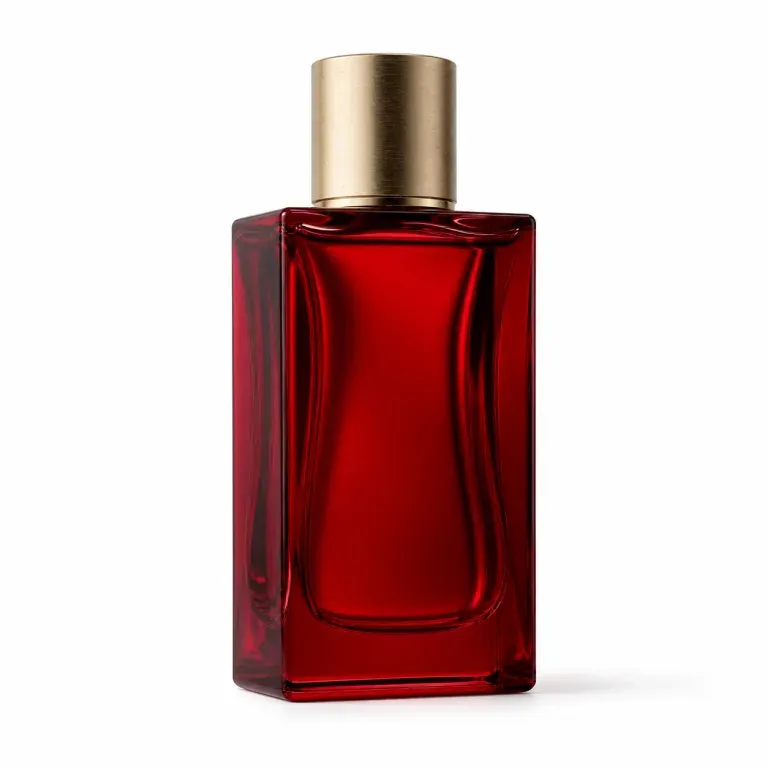
Product image
Ruby-red perfume bottle on white as a Wan 3.0 product reference
Upload product image

Step 1: Add the product image

Upload a clean white-background product image to anchor its shape, material, color, and key details.

Keep the product unchanged. Burgundy velvet, candlelight, slow push-in, flowing glass highlights.

Step 2: Write one focused prompt

Describe the setting, camera move, lighting, and mood in one concise direction.

Ruby-red perfume bottle in a refined candlelit advertising scene

Step 3: Generate and refine

Generate the ad video, review product consistency, then extend or edit the strongest version.

Wan 3.0 is coming to PixPix

We are preparing the Wan 3.0 workflow for PixPix. Creation access and final model settings will appear here after launch.

Explore PixPix plans

Wan 3.0 is not available yet. Review current PixPix plans now; model access, credit usage, and pricing will be confirmed at launch.

Loading plans…

Wan 3.0 questions

Pre-launch guidance on availability, inputs, duration, resolution, audio, reference control, and commercial use.

Wan's official feature overview covers text-to-video, image-to-video, reference-to-video, and instruction-based video editing. Wan 3.0 is not yet available in PixPix production, so the exact input modes will be confirmed at launch.