Get a free Zhipu API Key in 3 minutes for the prompt reverse-engineering plugin
Updated:June 29, 2026 · 3 min read
Before you start
Found a great AI image and want to know how its prompt was written? The prompt reverse-engineering plugin helps you:
- Right-click or hover on any web image to generate bilingual prompts, style tags, and aspect ratio suggestions.
- Edit the result, then click Generate similar with one click to bring the prompt into PixPix.
The plugin uses Zhipu GLM-4.5V for professional multimodal analysis, including film style and lens details.
Step 1 · Sign up for Zhipu BigModel
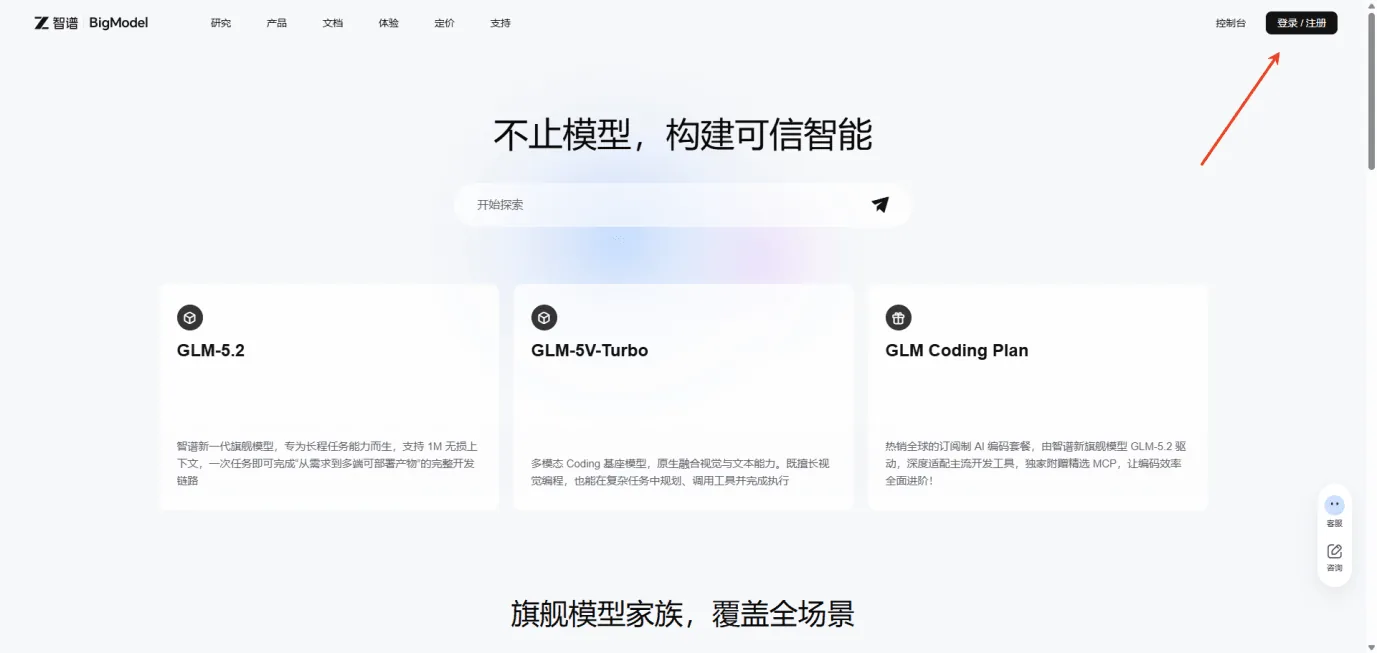
- Open bigmodel.cn.
- Sign up or log in with your phone number. New users receive 20 million free tokens.
One reverse prompt uses about 1,000 tokens, so 20 million tokens is enough for thousands of runs.
Step 2 · Create your API Key
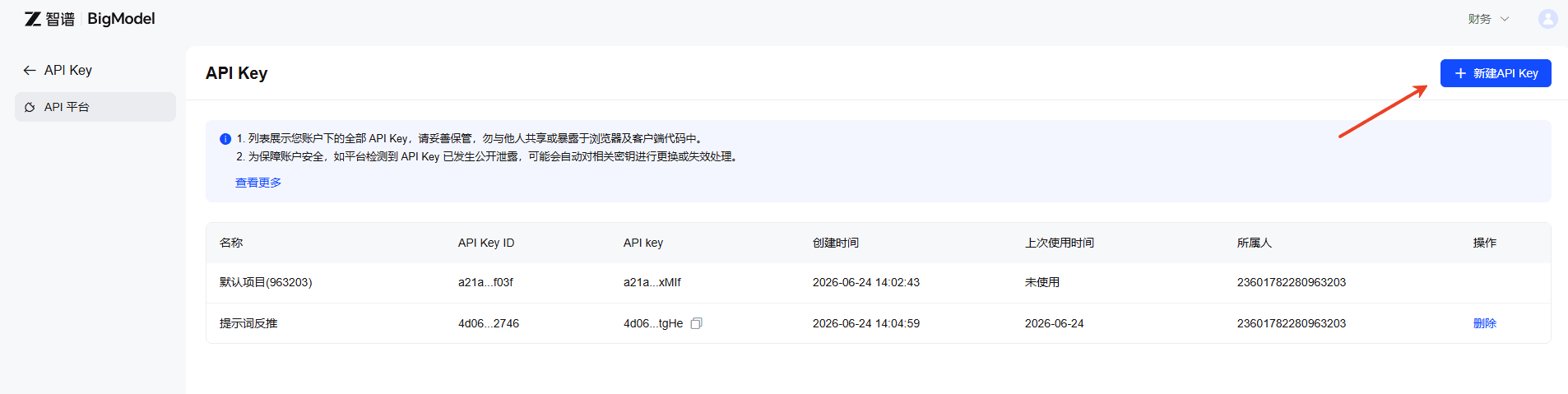
- After logging in, open Console.
- Find API Keys, or visit open.bigmodel.cn/usercenter/apikeys.
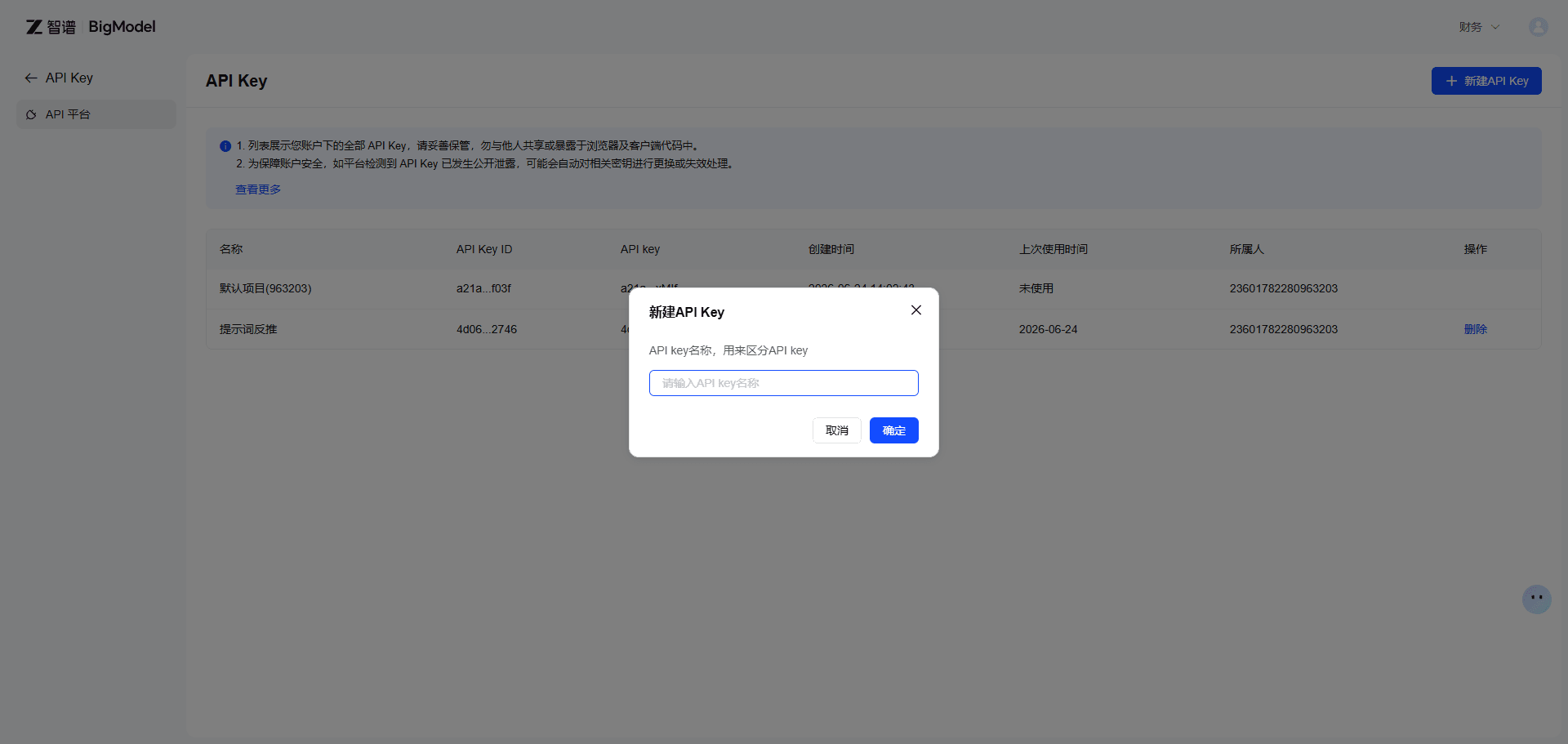
- Click Add new API Key, then copy the generated key.
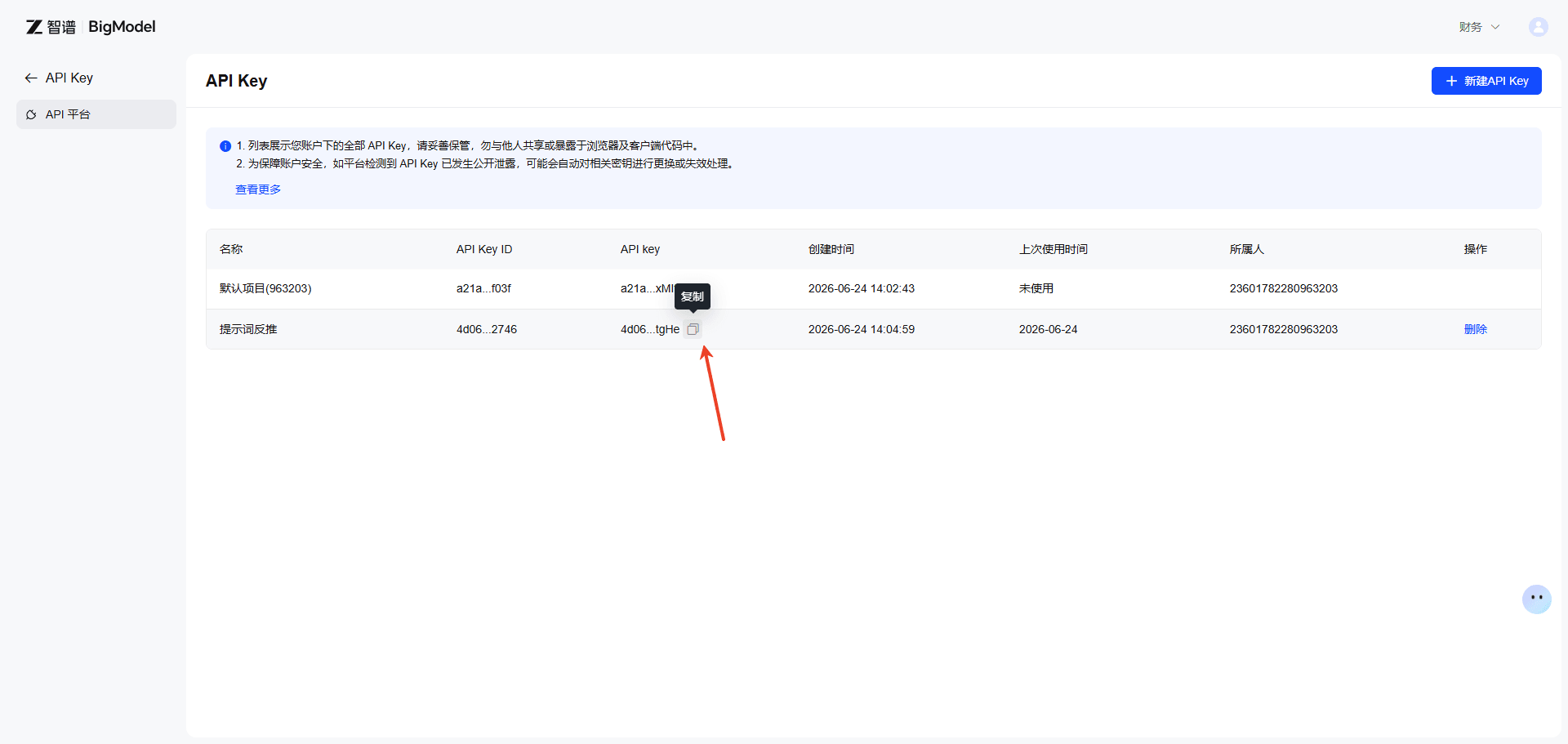
The key looks like this:
4d0675d1xxxxxxxxxxxxxxxx.Yq6ijkQHxxxxxxxxCopy the full key. Do not miss any characters.
Step 3 · Add it to the plugin
- Click the prompt reverse-engineering icon in your browser toolbar to open the sidebar.
- When prompted, click Enter API Key, or open the extension options from the browser extension menu.
- Paste the key and click Save.
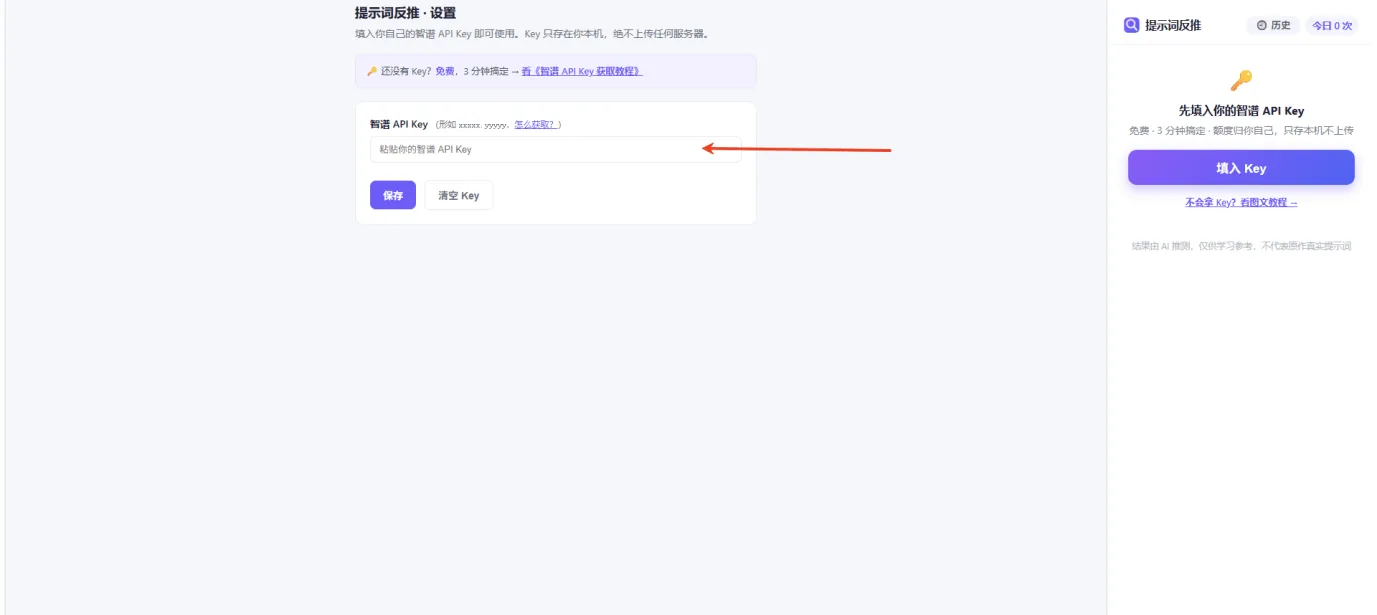
After saving, return to the sidebar. It works immediately without restarting or refreshing.
Step 4 · Start reverse prompting
Choose any of these methods:
- Right-click any web image and choose reverse prompt.
- Hover over an image and click the floating reverse prompt button.
- Open the plugin and drag, upload, or paste a screenshot with Ctrl+V.
Results usually appear in 1-8 seconds with bilingual prompts, tags, and aspect ratio.
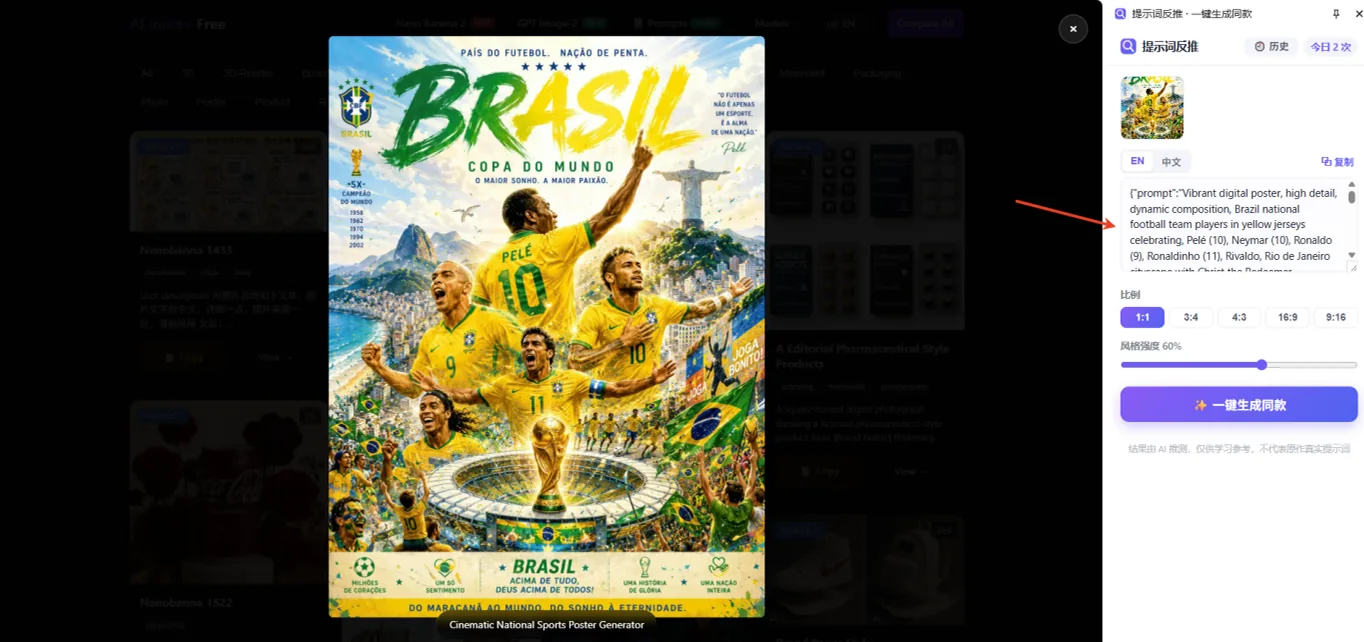
Step 5 · Generate a similar image in PixPix
After the prompt is generated, click Generate similar with one click. PixPix will carry over the prompt and aspect ratio into the image workspace.
FAQ
Q: Is the free quota enough?
A: New Zhipu users receive 20 million tokens. Daily personal use is more than covered.
Q: Is my API Key safe?
A: Yes. The key is stored locally in your browser and is used directly by the plugin.
Q: Why does it say the API Key is invalid?
A: Check that the full key was copied, that your account still has quota, or generate a new key in the console.
Q: What if the free quota runs out?
A: You can top up in the Zhipu console or watch for new-user and promotional quota events.
Ready to try it?
Once the key is saved and the plugin is installed, reverse any image you like and continue in PixPix.
Prompts are inferred by AI for learning and reference only. They may not match the original prompt.
Open PixPix workspace